Google Earth internally uses meters for elevation units, which can be an obstacle when feet are required. This tutorial explains an easy workaround for viewing contour elevation values in Google Earth and displaying them in feet.
Available for AutoCAD, BricsCAD, ZWCAD and GstarCAD.
1. Create Labels with elevation in feet
- Execute the SPMLABEL command.
- Click the “plus” button and select “Geometry/Elevation”.
- Also uncheck “Treat closed polylines as polygons” if your geometries are line types.
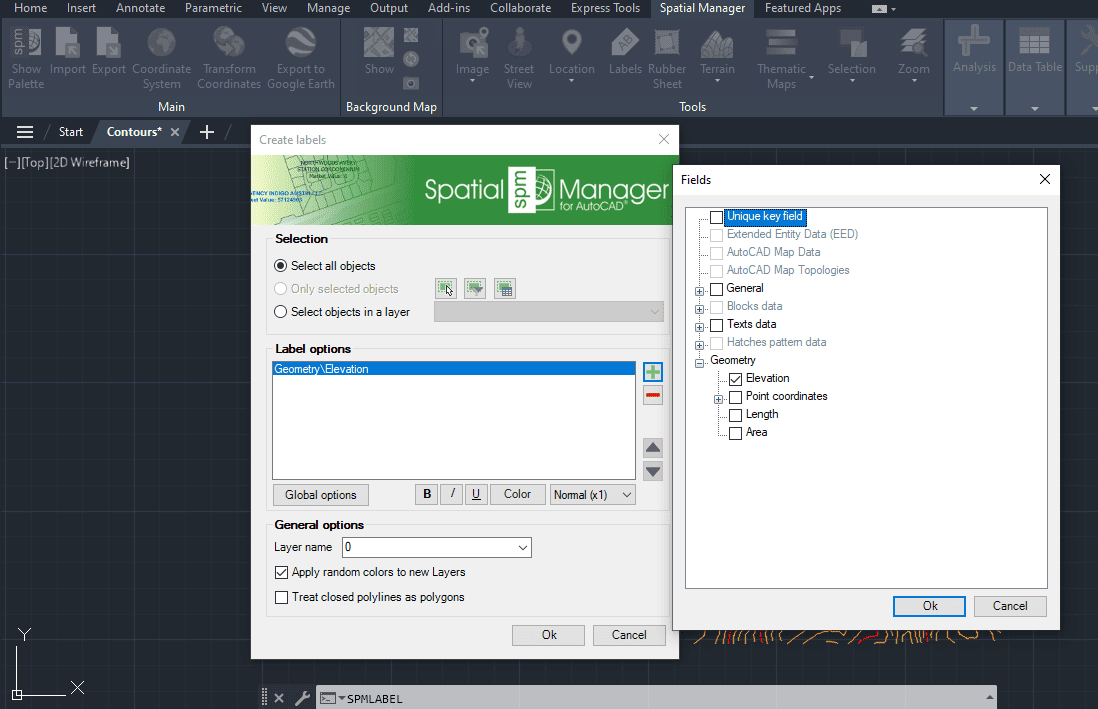
SPMLABEL options
- Click OK, and the labels will be created along the polylines.
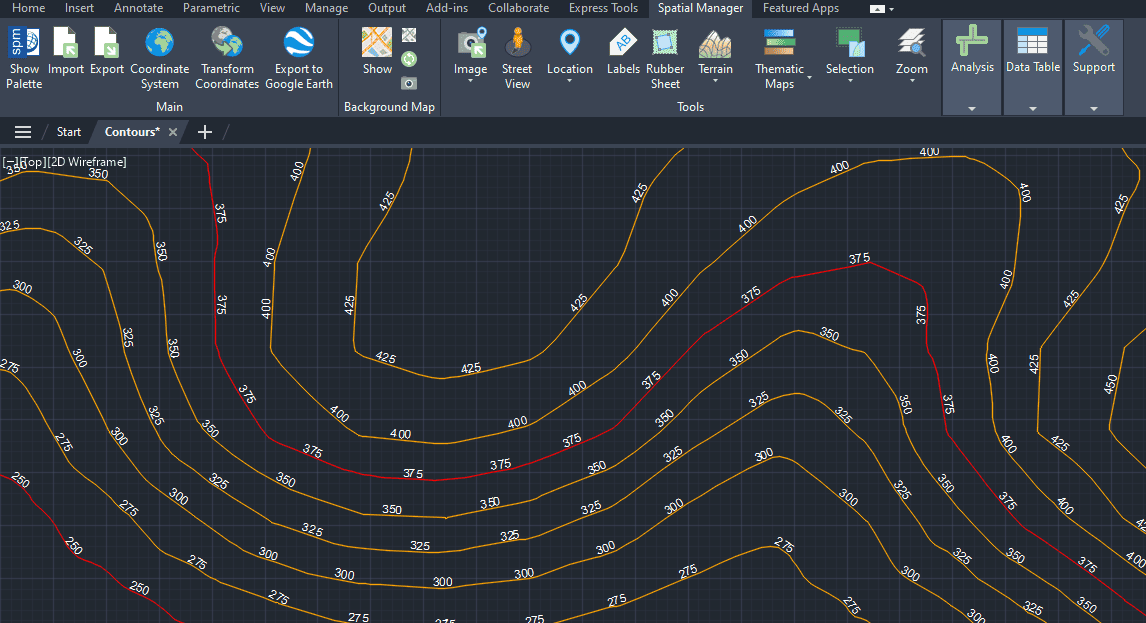
contours with elevation labels
2. Export to Google Earth
- Execute the SPMCREATEKML command and create a KML with both contours and elevations in feet as text.
- Select “3D objects” as the type.
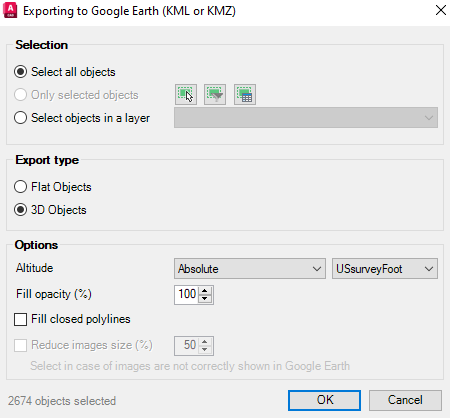
SPMCREATEKML options
- The text is exported to Google Earth, helping to identify the elevations in feet.
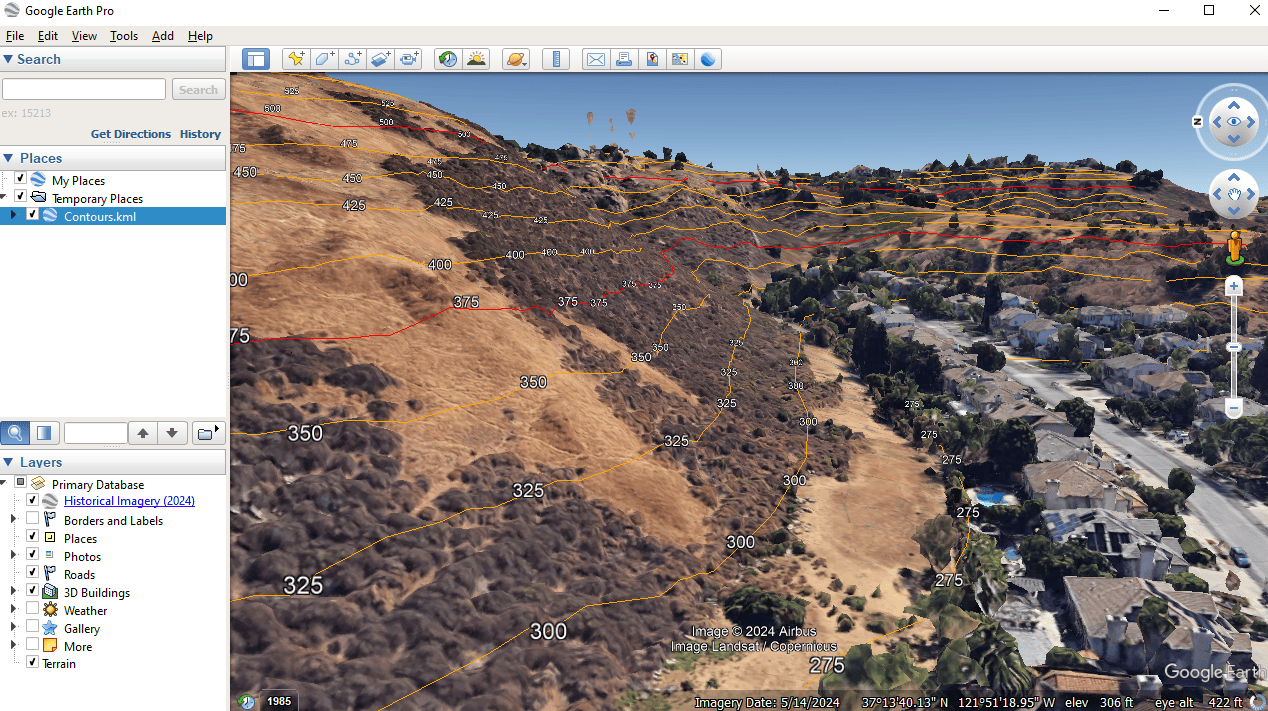
elevation labels in Google Earth
- Be careful if you use the terrain layer in Google Earth; the text and polylines could interfere with the terrain. This is normal behavior.
- The same process can be used for labeling elevations in meters when you want to display elevation values as text in Google Earth.
Note: Some features are available only in the Standard or Professional editions.



