Generates an envelope or bounding box for the selected geometries, representing the smallest rectangle that completely contains each object. This operation is commonly used to generalize shapes, define spatial extents, or prepare data for indexing, visualization, or spatial queries, providing a simplified and standardized outline of the original geometry’s limits.
Available for AutoCAD, BricsCAD, ZWCAD and GstarCAD.
1. Run SPMENVELOPE command
- Type SPMENVELOPE in the command line and press Enter or search for the tool in the ribbon or toolbar.
2. Select the objects
- Select the objects to create the envelopes manually, by query, table or layer.
- Set the output layer and specify whether you want to create only borders (closed polylines) or filled polygons.
3. Create the envelope
- The envelopes will be created automatically around the selected objects.
- If the objects have attached data, the envelopes will include a copy of it.
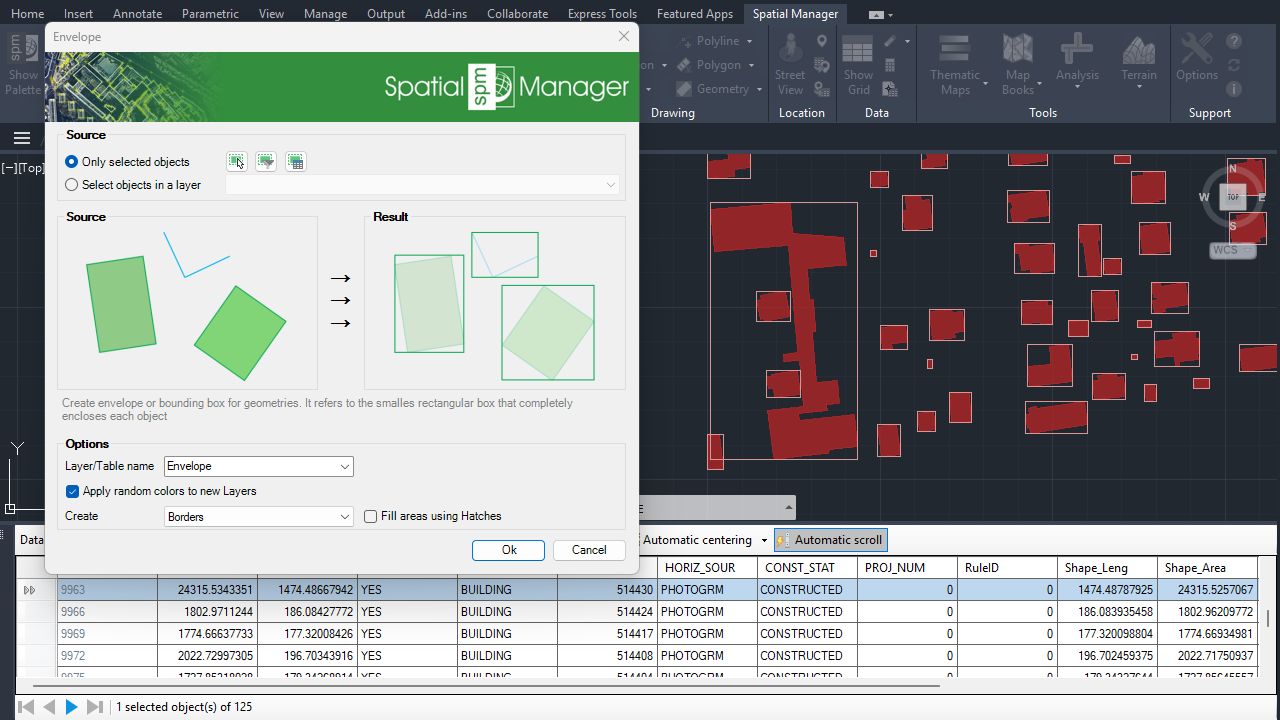
Envelope
Note: Some features are available only in the Standard or Professional editions.



