3D modeled objects are exported to Google Earth (KML/KMZ) in an easy and intuitive way. Different altitude and height modes are available depending on how the model has been created and how it needs to be represented (relative to ground, sea floor, absolute etc.).
Available for AutoCAD, BricsCAD, ZWCAD and GstarCAD.
The SPMCREATEKML command performs a simple one-step publishing method. Select whether you need to export flat or 3D objects, choose optional parameters and create a KML or KMZ file. Coordinate transformation is applied automatically when needed.
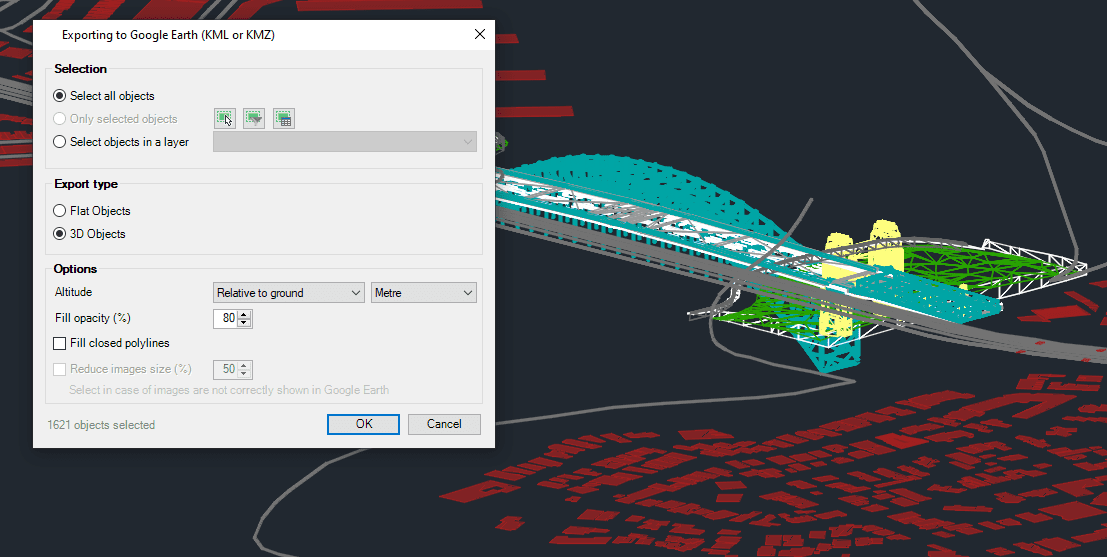
SPMCREATEKML options
Export type
- Flat objects: recommended for elements like parcels or roads, that will be represented attached to the floor
- 3D objects: suggested for geometries elevated over the floor or 3D modeled (buildings, infrastructure, elevation contours etc.)
Multiple types of 3D objects are now supported: faces, solids, polyfaces, meshes, surfaces, regions etc. Other complex or compound objects can be exploded and then exported.
Note: Some features are available only in the Standard or Professional editions.



