Spatial Manager Blog : CAD L2 (Medium) (page 19)

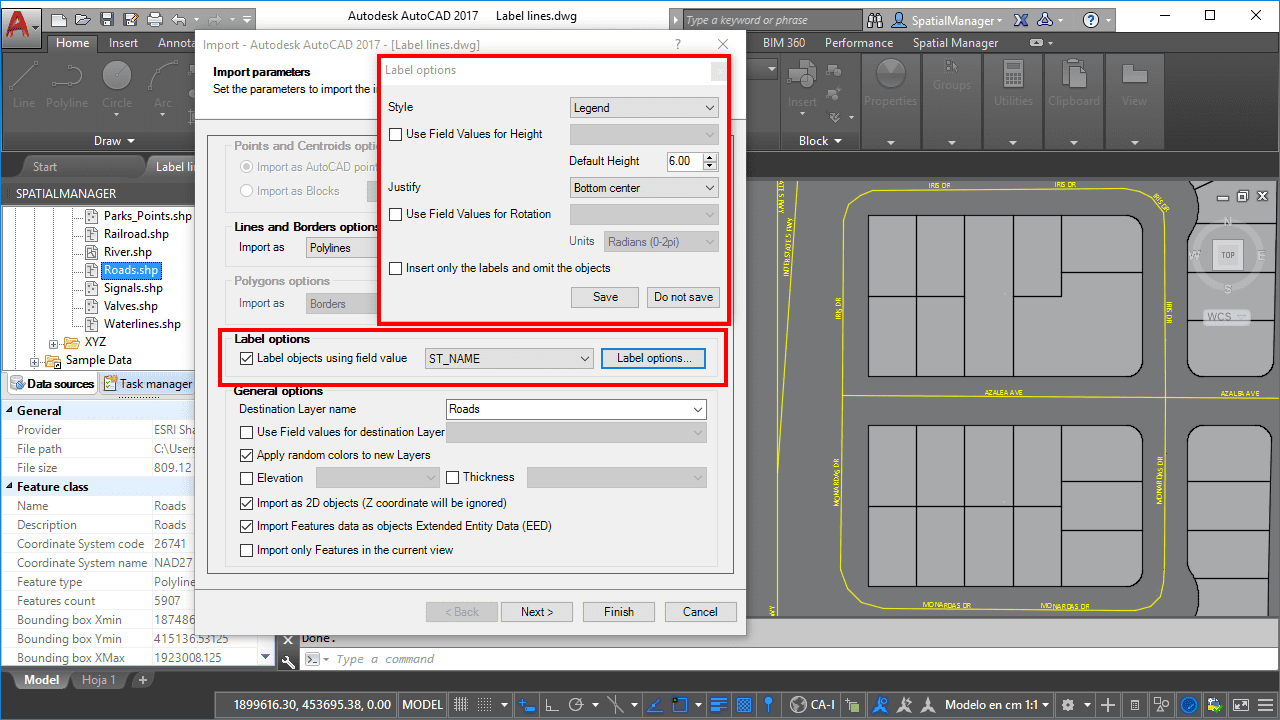
Labeling Polylines too. ‘Smart’ labels and …
If you are working with ‘Spatial Manager’ v.3.3 or a later version, you can Label while importing linear elements (Polylines), just like you could with points elements (Points, Blocks, Polygon Centroids …) in previous versions of the application more

OpenStreetMap “classic look” in AutoCAD and BricsCAD
Although the ‘Spatial Manager’ applications include many Background map models that can be chosen directly when you need to display them, you may be interested in access to many others maps available around the world. The “classic look” map of OpenStreetMap cannot be freely distributed within... more

Geo-location of addresses in CAD using Google Maps APIs
Within this interesting example we show how to include, on an existing AutoCAD or BricsCAD drawing of a city, locations from a list of addresses as points (Blocks) on the drawing, using Google Maps APIs for geo-location_

Data Structure Management – Create, Modify, Select, Delete
Now the CAD versions of Spatial Manager (v.3 and upper) also allow you to add structured data to the objects in order to get “smart” drawings. Design and edit the Structures that will store the data, manage the Tables and the Fields according to your needs, and use the new... more

Quick Thematics in AutoCAD or BricsCAD
Spatial Manager™ enables AutoCAD and BricsCAD users to create basic Thematic Maps by performing quite simple operations. You may find these tricks suitable for many real casesPlease, watch this video and read below: