When working with data sets from different sources, there are often differences in alignment between elements.
The SPMRUBBERSHEET command allows you to select base points and reference points to modify vertices in a non-uniform way, beyond a simple displacement, scaling, and rotation.
Available for AutoCAD, BricsCAD, ZWCAD and GstarCAD.
A classic example is the integration of a new building into previously existing cartography.
The new building (yellow) does not fit existing ones (white), but it cannot be fixed directly with a uniform transformation because the distance of each vertex varies, and the line alignments and angles are not proportional, so an elastic-like operation is required.
Execute the SPMRUBBERSHEET command and select the desired parameters:
- Select the objects or layer to be edited.
- Add pairs of points to match the vertices.
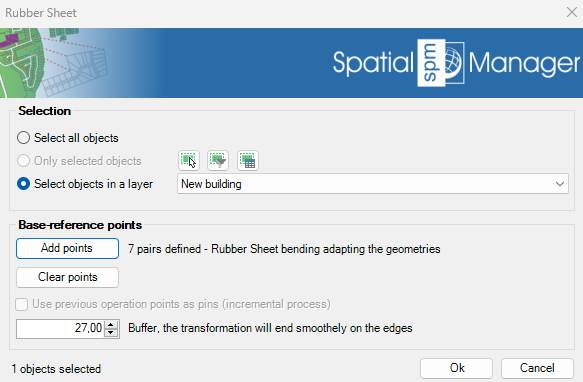
Rubber sheet parameters
The transformation method will vary depending on the number of base-reference points used:
- 1 pair of points: Translation, a simple offset according to the pair of points
- 2 pairs of points: Translation, uniform scaling, and rotation over the two pairs
- 3 pairs of points: Affine transformation for matching
- 4 or more pairs of points: Rubber Sheet bending, adapting the geometries (recommended)
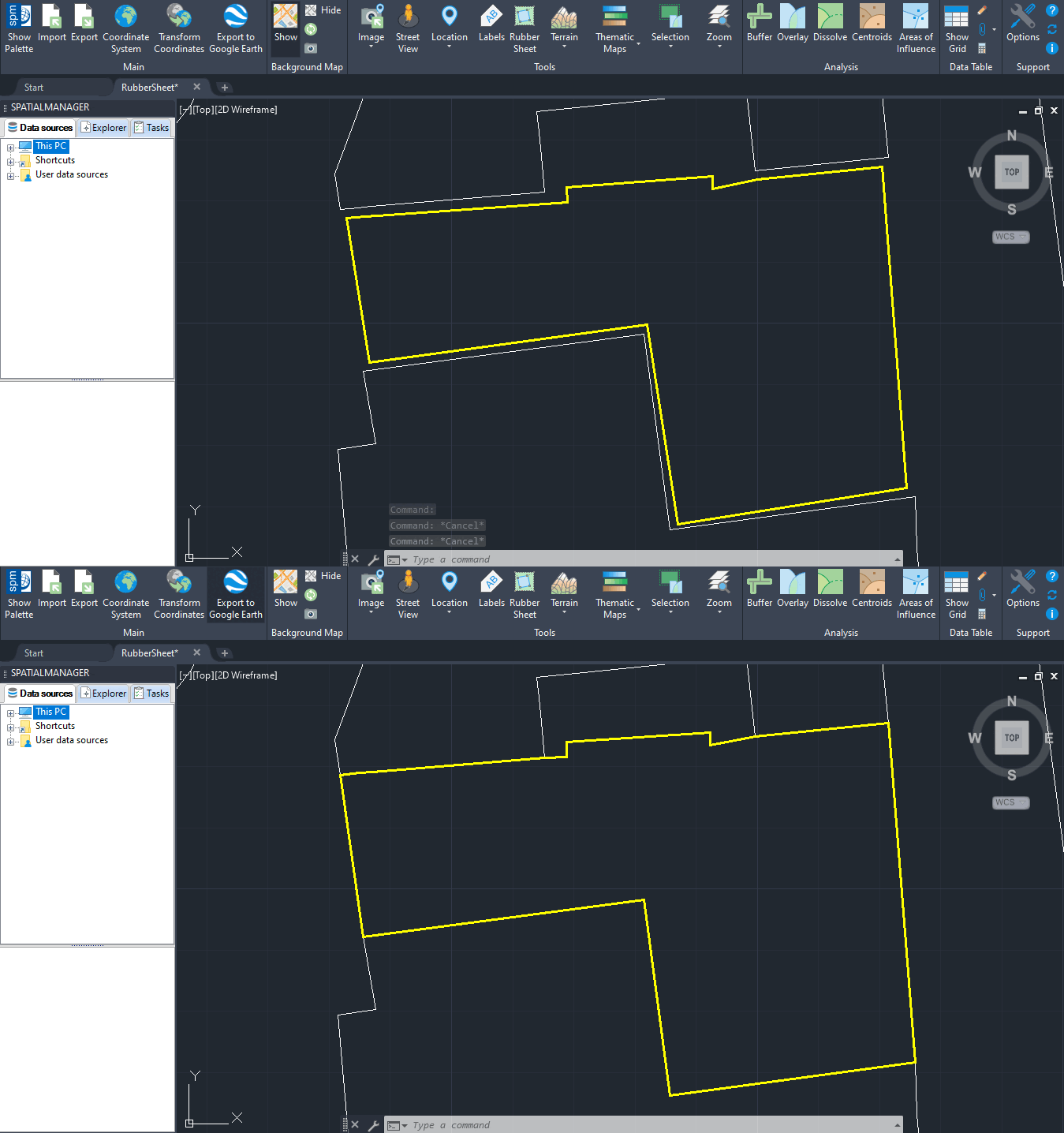
Building alignment fixed with 'Spatial Manager' rubber sheet tool
Note that not only the selected points have been modified; all the other points of the polygon have also been moved directly, proportional to their neighbors.
By using this advanced tool, you can perform multiple kinds of tasks:
- Adapt geometries to a background base map (SPMBGMAPSHOW command)
- Align multiple geometry types (lines, points, etc.) in a single step to other pre-existing geometries
- Fit buildings, parcels or civil infrastructures to raster images
- Adjust geometries after a precision loss due to coordinate transformation
Note: Some features are available only in the Standard or Professional editions.



