Visualize objects by coloring them based on their field values. Different thematic styles can be applied, using either fixed field values (categorized) or value ranges (graduated). Choose from predefined color schemes, modify them, or create custom styles. Automatically fill closed objects for improved visualization.
Available for AutoCAD, BricsCAD, ZWCAD and GstarCAD.
Thematic type
- Categorized: Distributes object styles by qualitative values. Examples include building uses, soil classifications, municipalities by region, or planning zones. All field types are allowed for a maximum of 500 different values.
- Graduated: Distributes object styles considering value ranges. Examples include rivers by flow, buildings by height, or urban areas by population density. Numeric fields (including date/time) are allowed.
- Graduated Gradient: Distributes object styles considering value/color ranges, creating one or more gradients. Examples include altimetry representations or heat maps. Numeric fields (including date/time) are allowed.
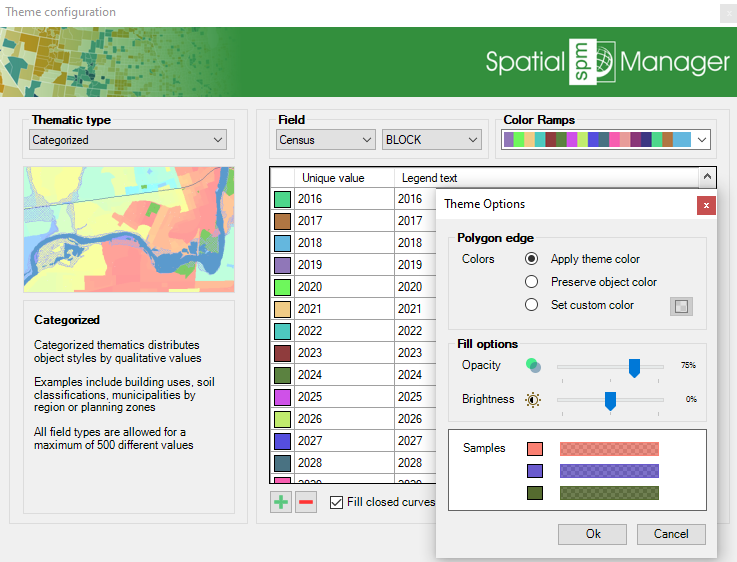
Thematic styles
Easily compare different dynamic visualizations.
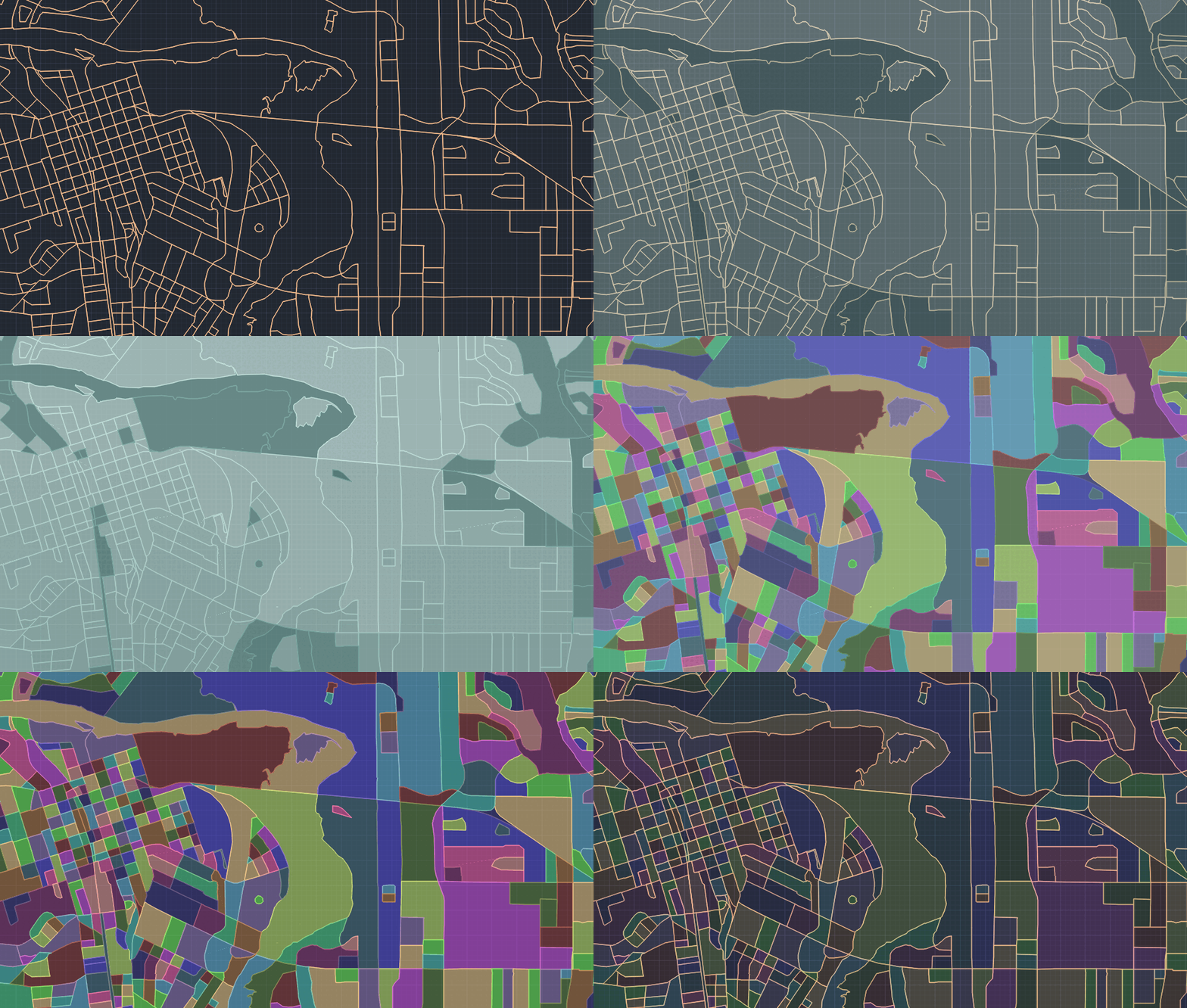
Comparison between different themes
Save thematics in the drawing and change their visibility, even for each category or range directly in the Spatial Manager palette.
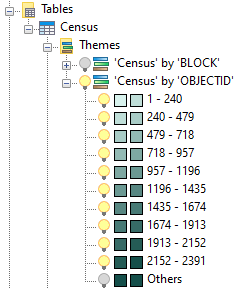
Visibility of thematic maps
Related commands
- SPMDATATABLEDEFINE: Defines, restores, modifies, renames or deletes a data table or its fields
- SPMDATATABLEATTACH: Attaches one or more objects to a data table
- SPMDATATABLEDETACH: Detaches one or more objects from an attached data table
- SPMDATATABLEGRID: Opens and displays the ‘Data Grid’ palette
Note: Some features are available only in the Standard or Professional editions.



