Rubber sheeting refers to a method in mapping and surveying where a map or spatial data is adjusted or “stretched” to align with a reference map or coordinate system. This process helps to fix distortions caused by differences in scale, projection, or other variables.
Available for AutoCAD, BricsCAD, ZWCAD and GstarCAD.
In this guide, we will learn how to adjust some buildings to a background map.
1. Enable a background map
- Execute the SPMBGMAPSHOW command and select any background map, for example, Satellite from Google Maps.
- You can see that the building limits do not fit well with the image.
2. Execute SPMRUBBERSHEET command and select the desired parameters:
- Select the objects or layer to be edited.
- Add pairs of points to match the vertices.
3. Add control points
- During rubber sheeting, specific points on the map or spatial data are identified as control points. These points are compared to the corresponding points on the reference map or system. The positions of the control points on the original map are then modified, or “rubber sheeted,” to match the reference points. This adjustment can be repeated using several control points until the map aligns correctly with the reference map.
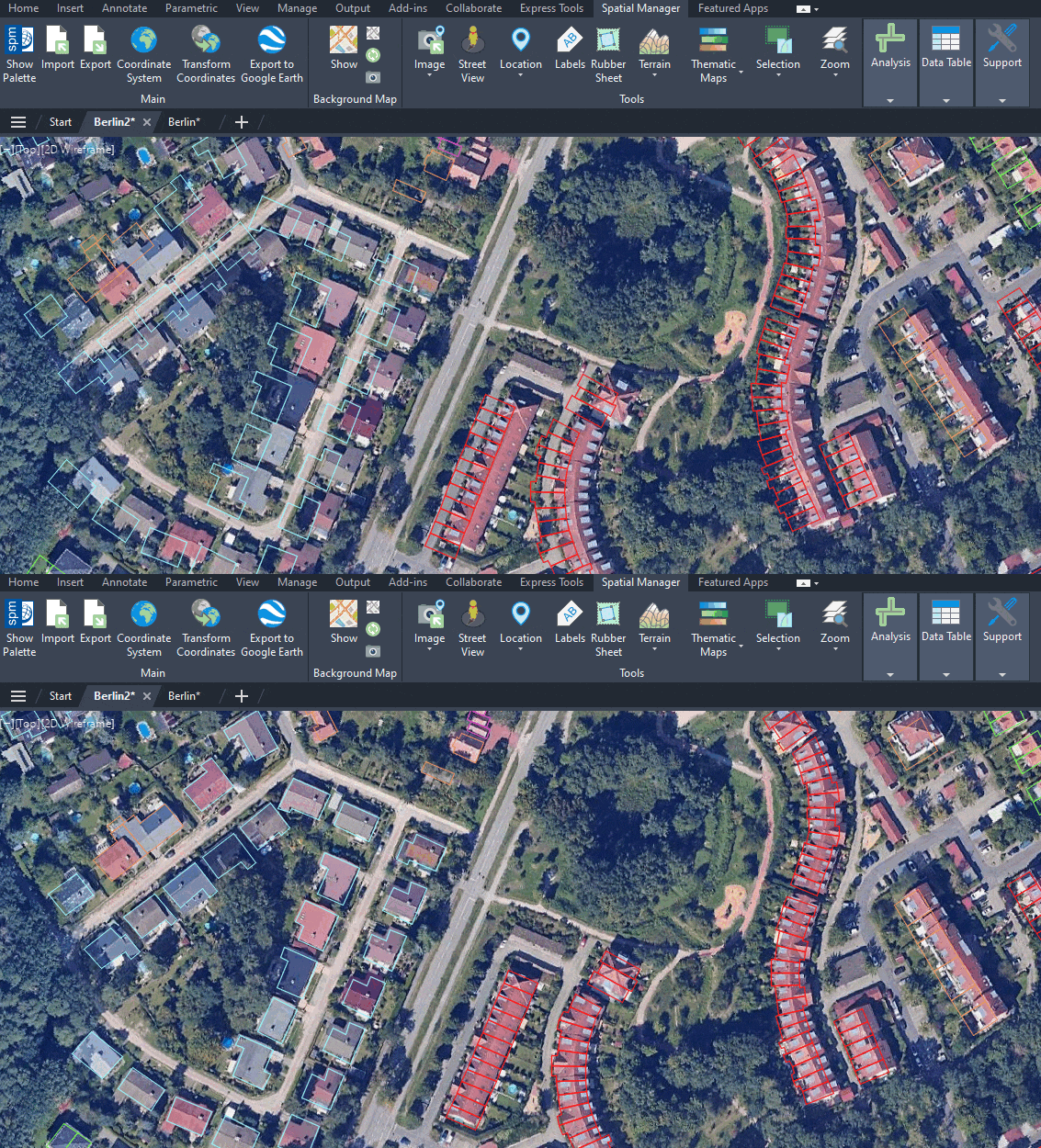
Building alignment fixed with 'Spatial Manager' rubber sheet tool
Note that not only the selected points have been modified; all the other points of the polygon have also been moved directly, proportional to their neighbors.
Rubber sheeting is commonly used to correct distortions that arise from variations in projection, scale, or other factors. It is widely applied in land surveying to ensure map accuracy and is used in various fields such as land use planning, environmental assessments, and resource management. For example:
- Adapt geometries to a background base map (SPMBGMAPSHOW command)
- Align multiple geometry types (lines, points, etc.) in a single step to other pre-existing geometries.
- Fit buildings, parcels or civil infrastructures to raster images
- Adjust geometries after a precision loss due to coordinate transformation
Note: Some features are available only in the Standard or Professional editions.



