Spatial Manager Blog : Maps

Create legend for thematic map in DWG
Inserts a thematic map legend directly into the drawing, making it easier to interpret and communicate the meaning of the applied styles. The legend represents the categories or value ranges used in the map at the time it is created,... more

Color objects by their data in DWG
Thematic Maps allow you to view objects colored by their data values, and you can also apply these styles persistently to the objects, causing these colors to override the DWG colors. With this tool, the colorized DWG can be shared... more

Thematic Maps and dynamic visualization
Visualize objects by coloring them based on their field values. Different thematic styles can be applied, using either fixed field values (categorized) or value ranges (graduated). Choose from predefined color schemes, modify them, or create custom styles. Automatically fill closed... more

Data sources smart search
When working with external Layers, which are loaded into a Map by reading spatial data sources, one of the usual problems is the modification (change of name, change of location, etc.) of these data sources Spatial Manager Desktop™ includes a... more

Base maps as Map backgrounds
Using base maps (roads, aerial, etc.) from imagery providers allows, not only the composition of more attractive Maps in mapping applications, but also the use of these base images as a practical reference system or a powerful tool for checking on the... more
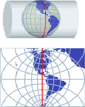
Projecting Maps on the fly
Spatial Manager Desktop™ considers the coordinate systems of the Layers in a Map to get a real view of their Features which will be projected according to the coordinate system of the MapWhen working with an application that includes... more