In the autumn version of Spatial Manager™, all the products include new or improved features developed with our users in mind and these may be a surprise to anyone who tries the Application. Exporting the current map/drawing status to Google Earth, static “snapshots” of the Background Maps, selecting objects by simple or compound queries in CAD, smart labels for linear objects …
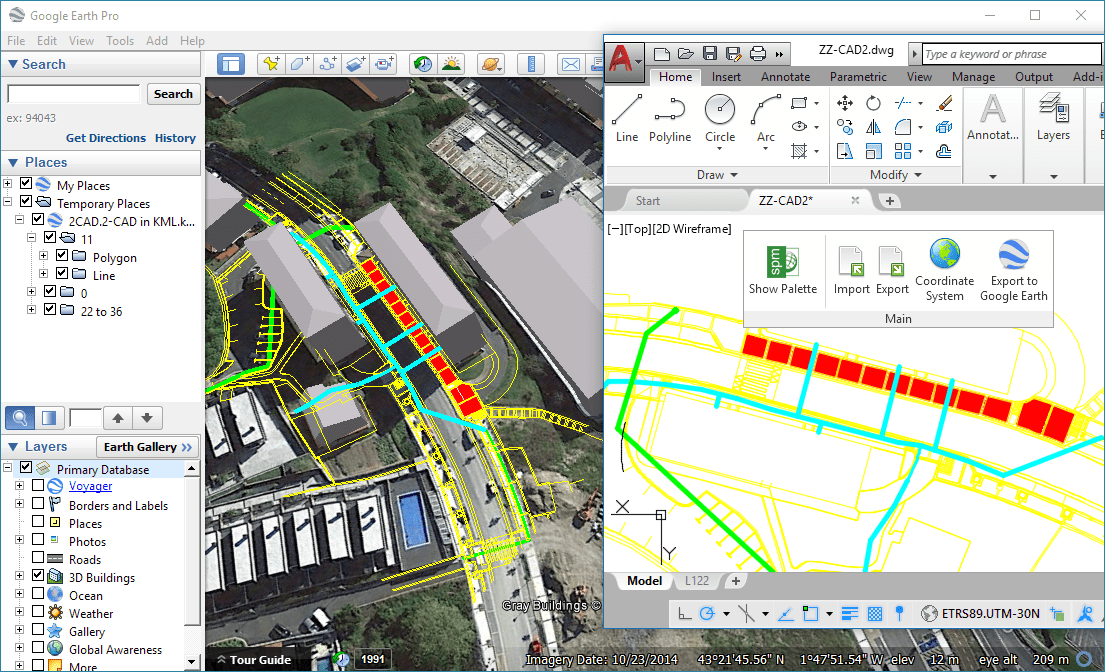
Exporting the drawing to Google Earth by one click (AutoCAD image. Same from BricsCAD or Desktop)
Main New features
1. Selecting objects in drawings by simple or compound queries (Videos: AutoCAD / BricsCAD)
Complete queries or query to the current selection and add the result to the current selection
2. Publishing the current drawing or map status to Google Earth (one click) (Videos: Desktop / AutoCAD / BricsCAD)
Visible layers – Splitting by layer plus splitting by object type – All drawing/map or a selection – Equivalent styles – Open directly the resulting KML or KMZ file in Google Earth
3. Labeling (Videos: AutoCAD / BricsCAD)
Labels also for linear objects while importing (smart label distribution)
4. Export improvements (Videos: AutoCAD / BricsCAD)
Select the data Tables and Fields to export
Option to export the X/Y/Z coordinates of the objects
Advanced management of duplicate fields
Option to export the rotation and scales of Blocks
and more
5. Snapshots (raster images) of the Background maps (Videos: AutoCAD / BricsCAD)
Up to four levels of image resolution – Provides interesting solutions to define different maps for different Viewports and/or Views
And
Zoom to the selected objects
PostGIS Views
Free support/updates extended to 1 year
BricsCAD 17 compatible
and more



