Spatial Manager Blog : Import (page 9)

Graphic Filter while Importing in CAD
Do you only need to import some objects? Surely, you have often come across the need to limit to an area of your drawings the import of a very “heavy” data source. See how you can solve it using ‘Spatial... more

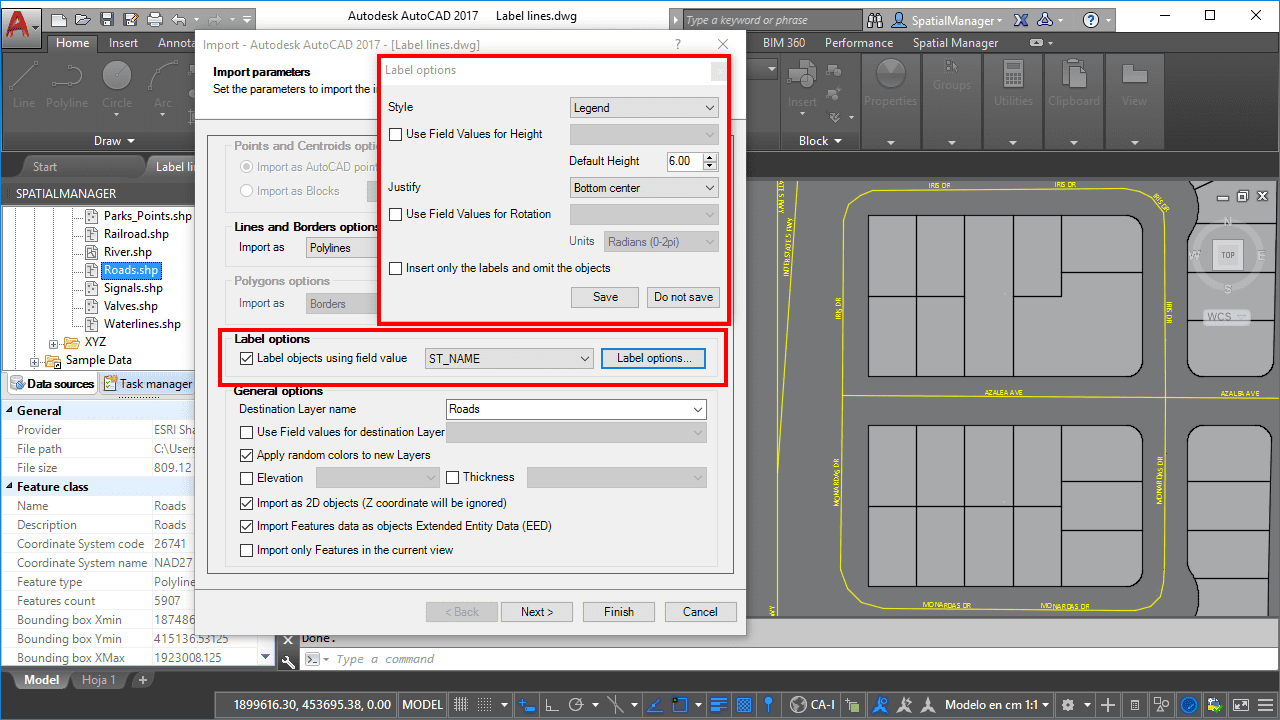
Labeling Polylines too. ‘Smart’ labels and …
If you are working with ‘Spatial Manager’ v.3.3 or a later version, you can Label while importing linear elements (Polylines), just like you could with points elements (Points, Blocks, Polygon Centroids …) in previous versions of the application more

New release 3.2. ‘Blocks’ enhancements
New Import & Export tools and options for AutoCAD and BricsCAD users who can now take greater advantage of the Blocks information in the drawings Importing: the Block names can now be selected according the value of a field, allowing you to automate different Block... more

Quick Thematics in AutoCAD or BricsCAD
Spatial Manager™ enables AutoCAD and BricsCAD users to create basic Thematic Maps by performing quite simple operations. You may find these tricks suitable for many real casesPlease, watch this video and read below: