Reverse geocoding is the process of converting geographic coordinates (latitude and longitude) into a human-readable address or place name. This is typically done using a reverse geocoding service or API, which can interpret the provided coordinates and return the corresponding address details.
Available for AutoCAD, BricsCAD, ZWCAD, GstarCAD and Desktop.
Steps for getting address data based on a set of points:
1. Input data
- Execute the SPMGEOCODING_REVERSE command.
- Select the points.
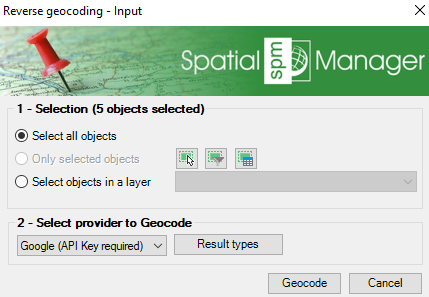
Direct geocoding options
2. Geocoding provider
- Select the provider between Bing, Google, and OpenStreetMap (some of them require an API key).
- You can select specific result types according to the type of elements you want to search data for.
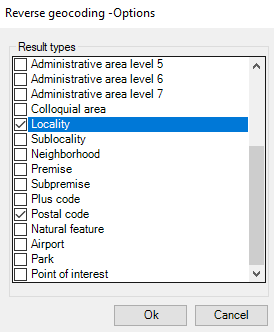
Google Maps result types
3. Data retrieval
- Get the data related to each coordinate.
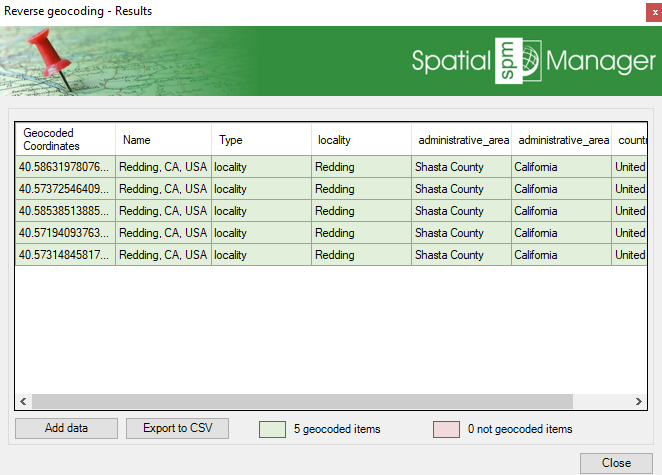
Reverse geocoding results
- You can append to the existing objects data table.
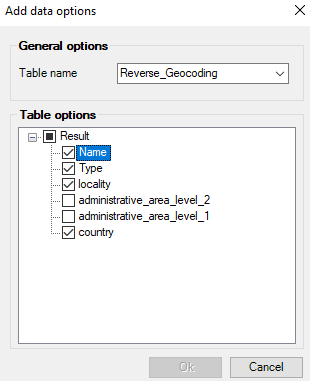
Select fields for adding to the points table
- Or export to CSV.
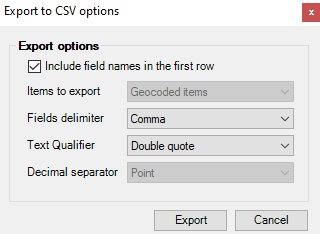
Export to CSV options
Note: Some features are available only in the Standard or Professional editions.



