Direct geocoding is the process of converting an address or a place name into geographic coordinates (latitude and longitude). This is typically done using a geocoding service or API which can interpret the provided address and return the corresponding coordinates.
Available for AutoCAD, BricsCAD, ZWCAD, GstarCAD and Desktop.
Steps for getting the location for a list of addresses:
1. Input data
- Execute the SPMGEOCODING_DIRECT command (in Spatial Manager Desktop go to Start/Search Location/Reverse Geo-coding).
- Select a text file (CSV) and the field separator (comma, semicolon, space etc.).
2. Select fields
- Add the fields to build the text for the geocoding process and sort them.
3. Geocoding service
- Select the provider between Bing, Google and OpenStreetMap (some may require an API key).
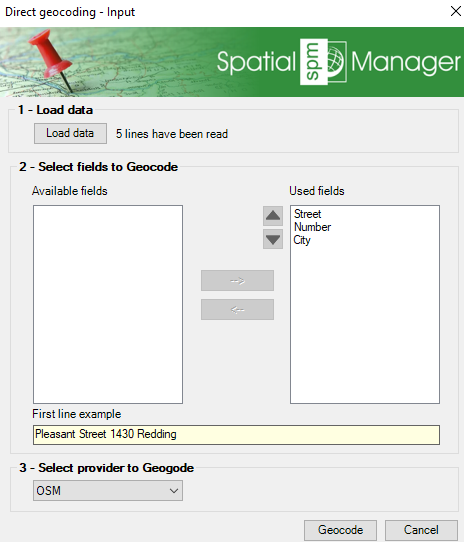
Direct geocoding options
4. Coordinate retrieval
- Review the resulting coordinates, export to CSV or insert into the current document.
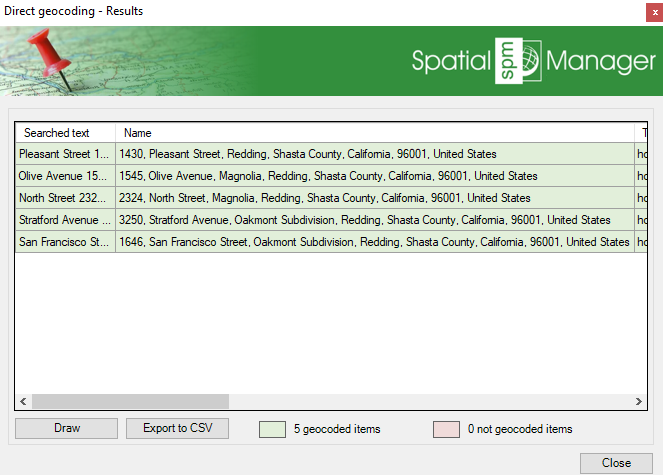
Geocoding results
- Select the source fields and add additional data obtained during the geocoding query.
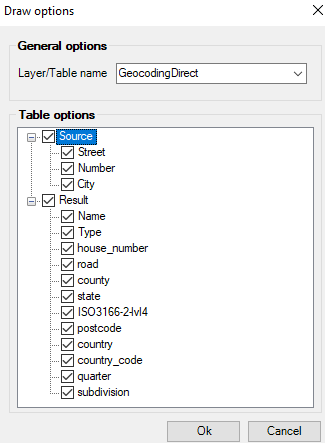
Draw and add data
- Export to CSV, selecting header, separators etc.
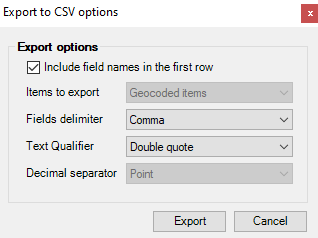
Export result to CSV
Note: Some features are available only in the Standard or Professional editions.



