Import of photos with EXIF GPS data in ZWCAD
Import of photographs with GPS location (contained in their EXIF data), captured at the moment they are taken and automatically placed in their correct location in the drawing when importing
Import of photos with EXIF GPS data
During import, photos are automatically positioned at their accurate geographic locations within the drawing, reflecting the exact spot where they were captured.
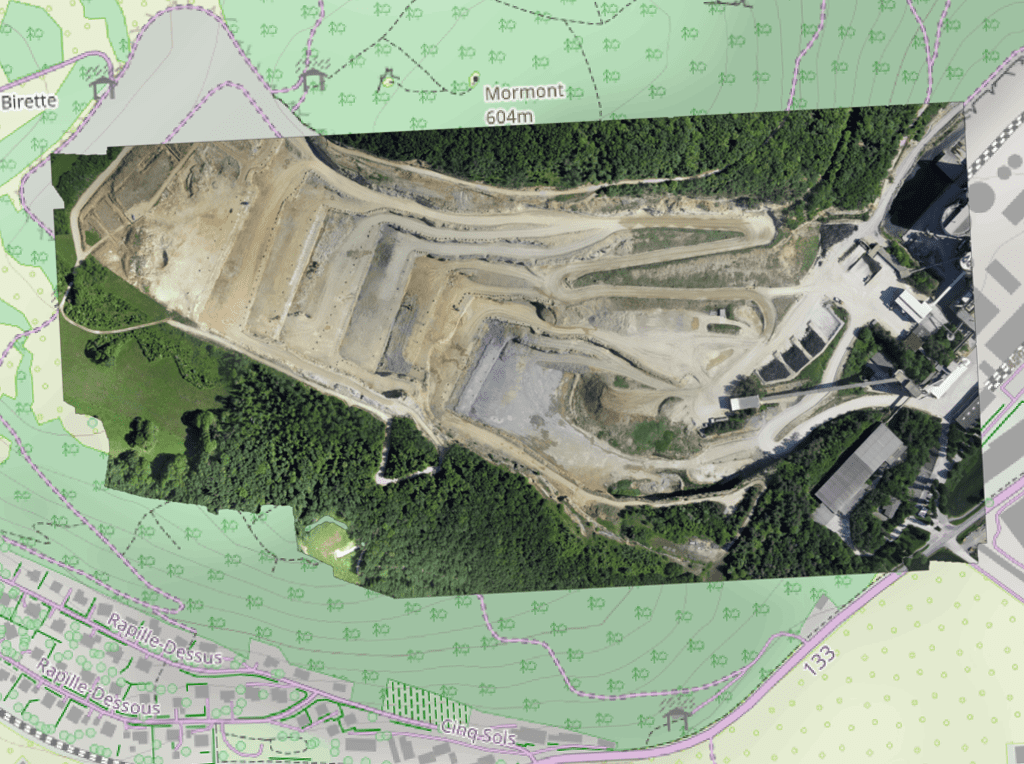
Import of georeferenced raster images into the drawing. Supports a variety of formats such as TIF, PNG, JPG, JPEG, TIFF, Cloud Optimized GeoTIFF, ... (Data Providers list).
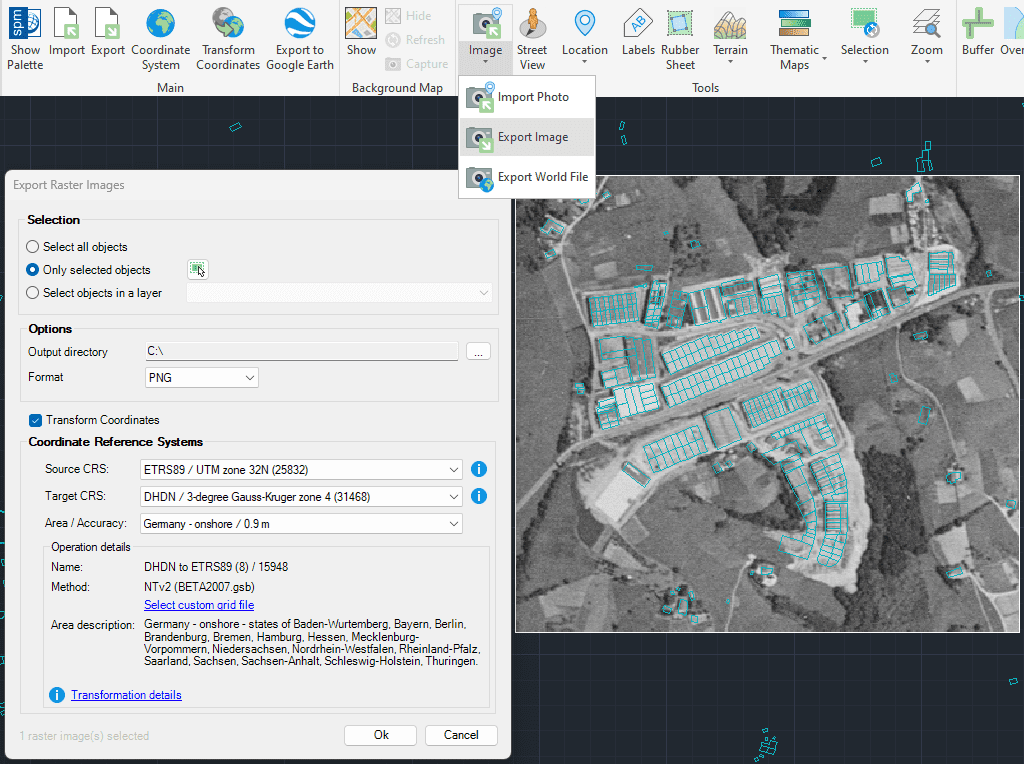
Export of georeferenced raster images from the drawing. Supports a wide variety of georeferenced formats such as TIF, PNG, JPG, ...(Data Providers list).
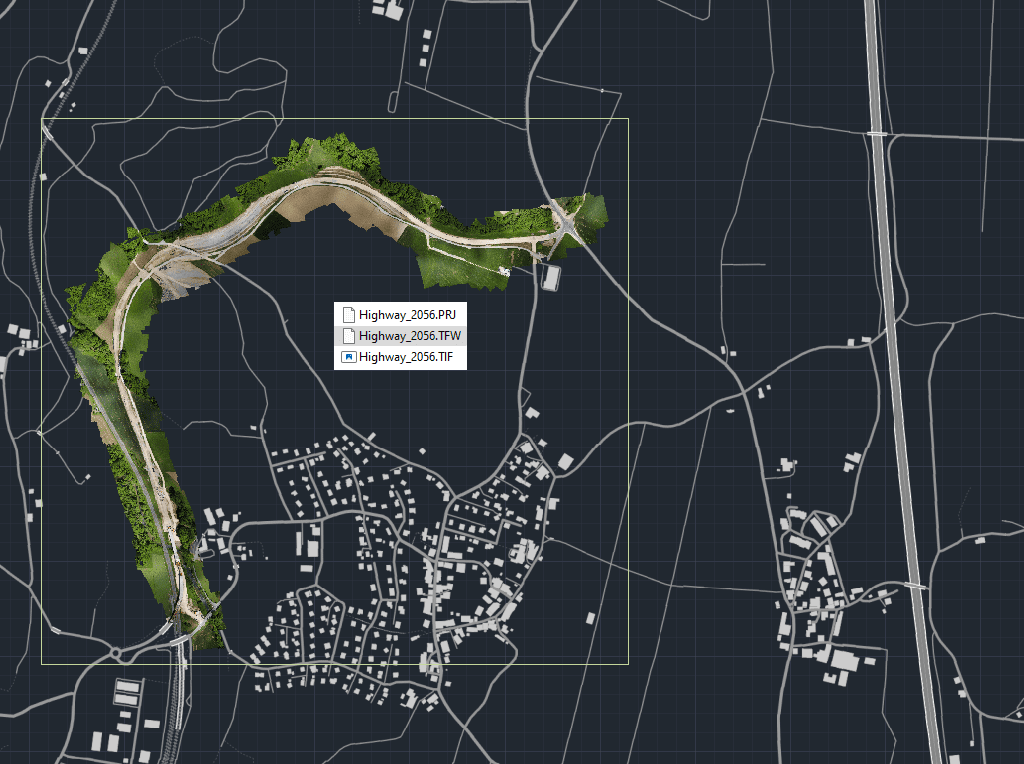
Export to external file the complete geo-reference information of any raster image contained in your drawing
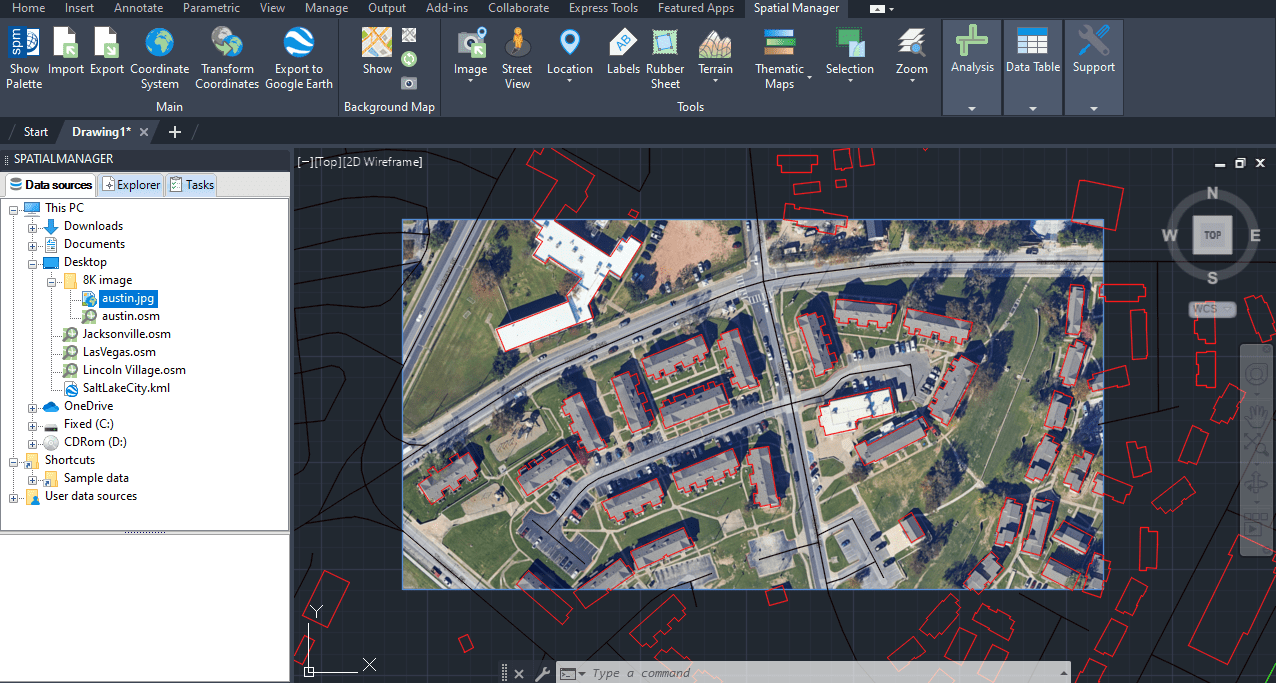
Import high quality and historic raster images from Google Earth using a configuration file (.geprint) that stores the map options and its geolocation

This article explains how to start a drafting or design project using a Google Earth imagery base. It provides step-by-step instructions on how to overlay drawings, plans, or architectural projects... more

Download historical imagery directly from Google Earth to your DWG using your preferred CAD platform for enhanced accuracy and analysis. Get aerial photographs from different dates and compare the evolution... more

Learn quickly and easily how to integrate Google Earth high-quality images with your DWG using your preferred CAD platform. A wide range of resolutions are available up to 8K UHD,... more

Today, it is very common to get photographs with embedded GPS locations. You can take these kinds of pictures easily with your own phone or camera. Latitude and longitude are... more