Export information to use in office or CAD apps
Advanced export data in layers, selections, etc. from the data grid. Raster or vector copy to the Windows clipboard of the whole map, the selected features or the features included in a view
Export information to use in office or CAD apps
Copy vector or raster content directly to the Windows clipboard—either the entire map, selected features, or a specific view—for easy use in office or CAD applications.
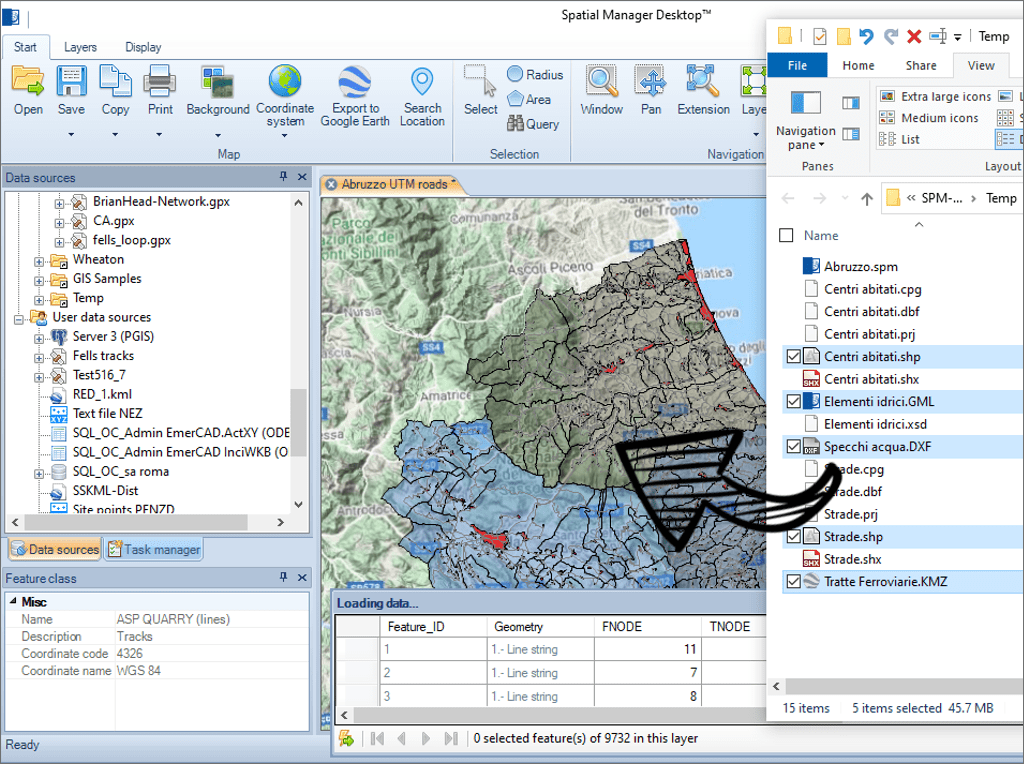
Load data tables from spatial files into the maps by dragging and dropping them from Windows explorer. This way of loading allows the loading of several files at one time. Open the files in new maps using double click in Windows explorer
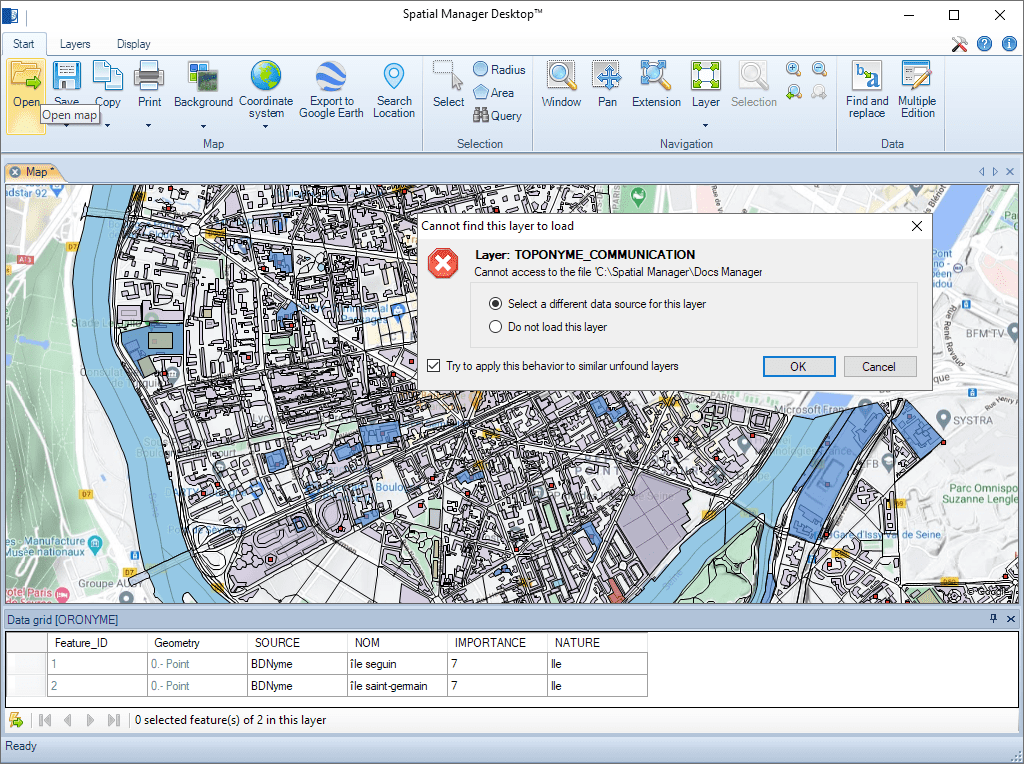
Smart search technology which makes it easy to find changed sources (moved, renamed, etc.) of external layers when loading a map
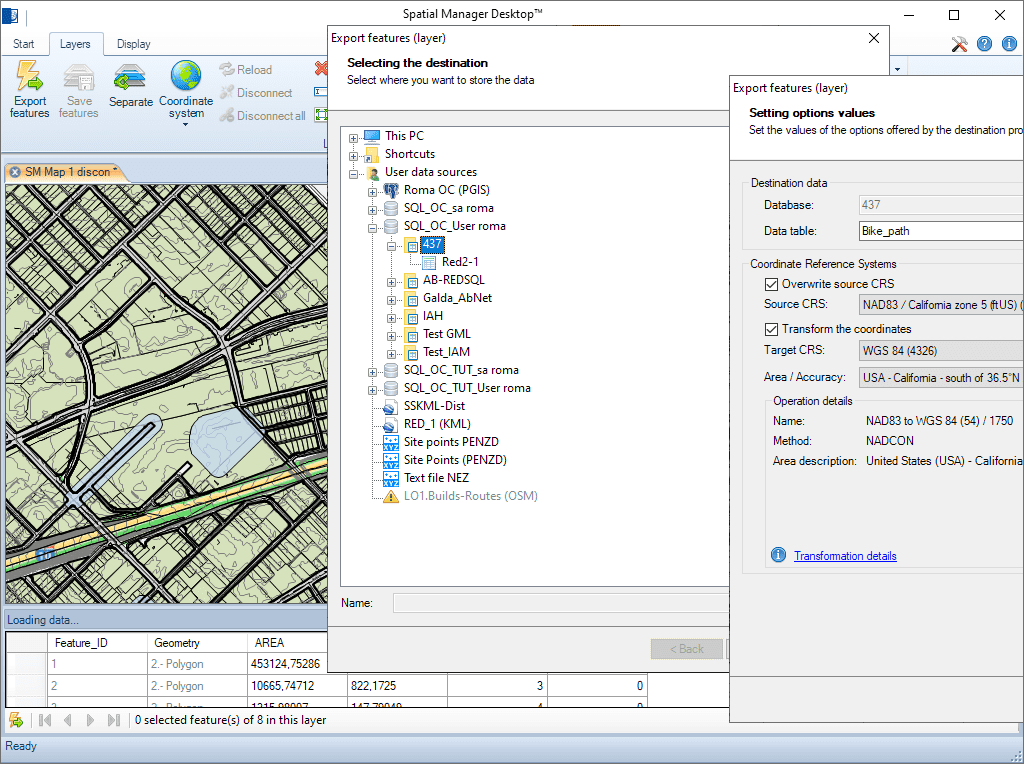
Full tables, layers or feature selections can be imported or exported from/to any spatial data container. The import/export wizard leads the user through the processes to select the source and the target and their connection parameters, the coordinate transformation parameters, etc.
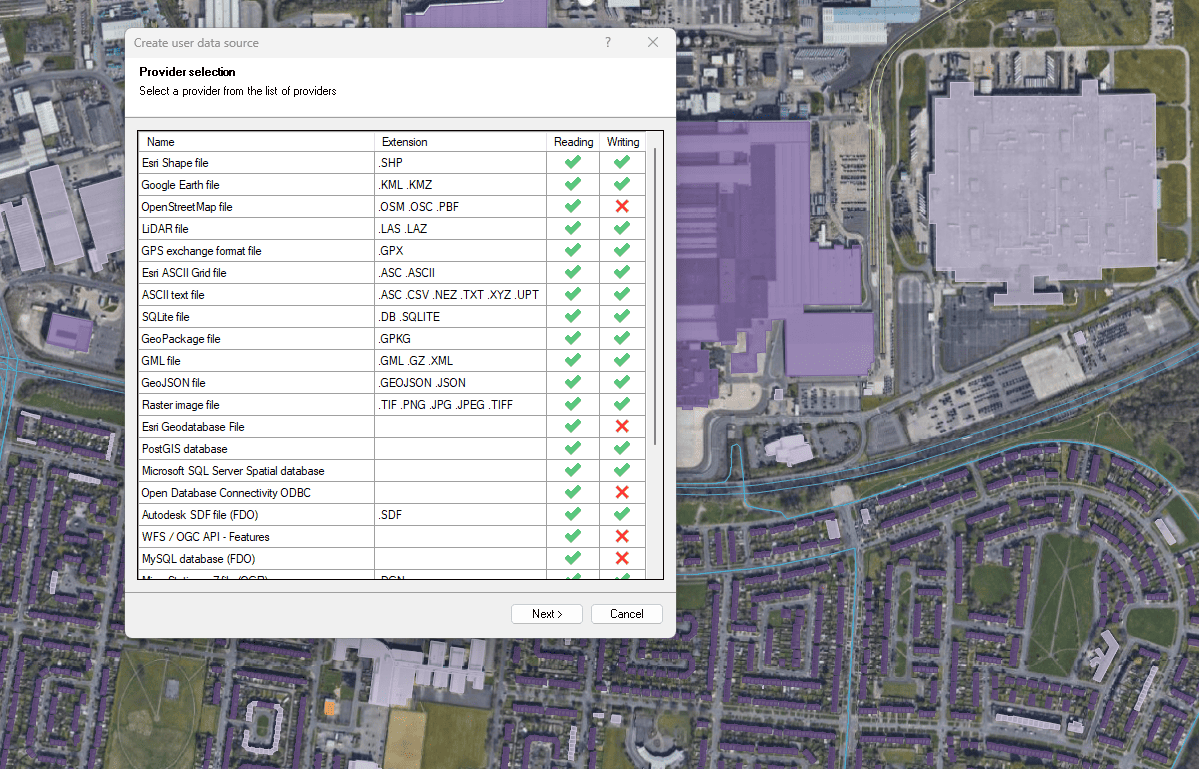
Files, databases and online services
Enhanced in V10Connect to a wide variety of spatial data sources

Access and import authoritative LINZ (Land Information New Zealand) vector datasets directly into your DWG through the LINZ WFS (Web Feature Service). Spatial Manager connects to the WFS endpoint and... more

Download and import official Land Information New Zealand (LINZ) data into a DWG using Spatial Manager, either through open services (WFS / OGC API Features) or distributed files (SHP, GeoJSON,... more

View detailed, high-resolution LINZ background maps directly in your DWG through WMTS services–no prior tile download required. Spatial Manager connects to the LINZ WMTS endpoint, requests only the tiles needed... more

OGC API Features is a modern, RESTful standard developed by the Open Geospatial Consortium (OGC) for accessing and managing geospatial feature data over the web. It is the evolution of... more