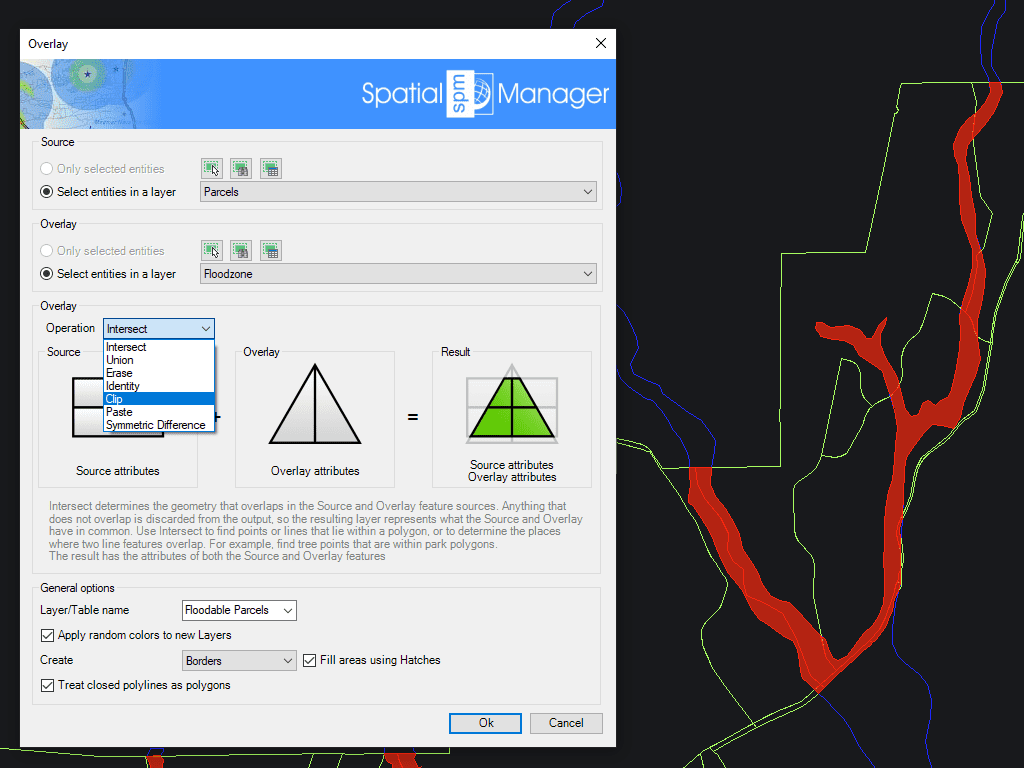
Overlay
- Intersect: Creates new objects from the overlapping areas of both input groups. Only the geometry and data common to both are preserved.
- Union: Merges all geometries from both groups into a single set of combined objects, consolidating their spatial extent.
- Erase: Removes portions of the first group that overlap with the second, preserving only the non-overlapping areas.
- Identity: Keeps all features from the first group and adds attribute data from overlapping features in the second group where intersections exist.
- Clip: Trims the objects from the first group to the spatial boundaries of the second group, like applying a geometric mask.
- Paste: Similar to Union, but includes only features from the second group that don’t overlap with the first.
- Symmetric Difference: Generates new objects from the areas that are exclusive to each group—removing the parts where they overlap.
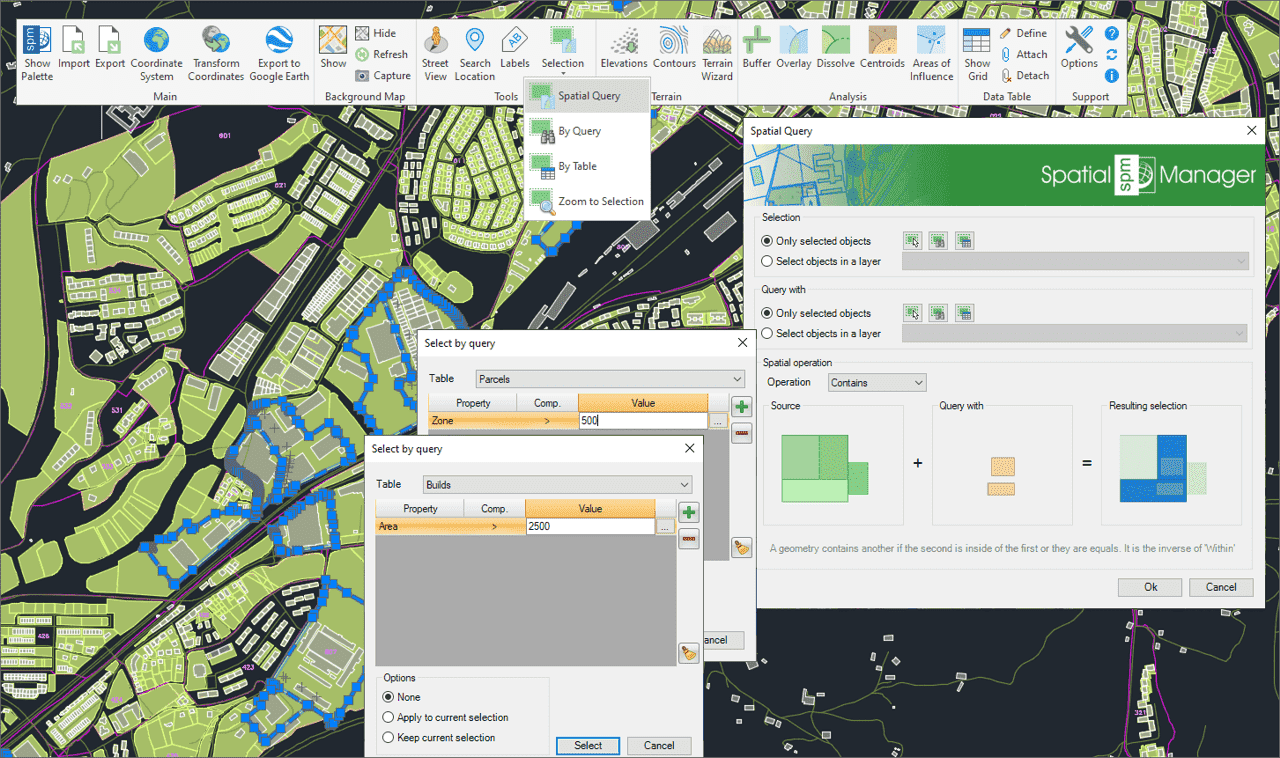
Select objects in the drawing according to the result of advanced simple or compound spatial queries by the following geometric operations.
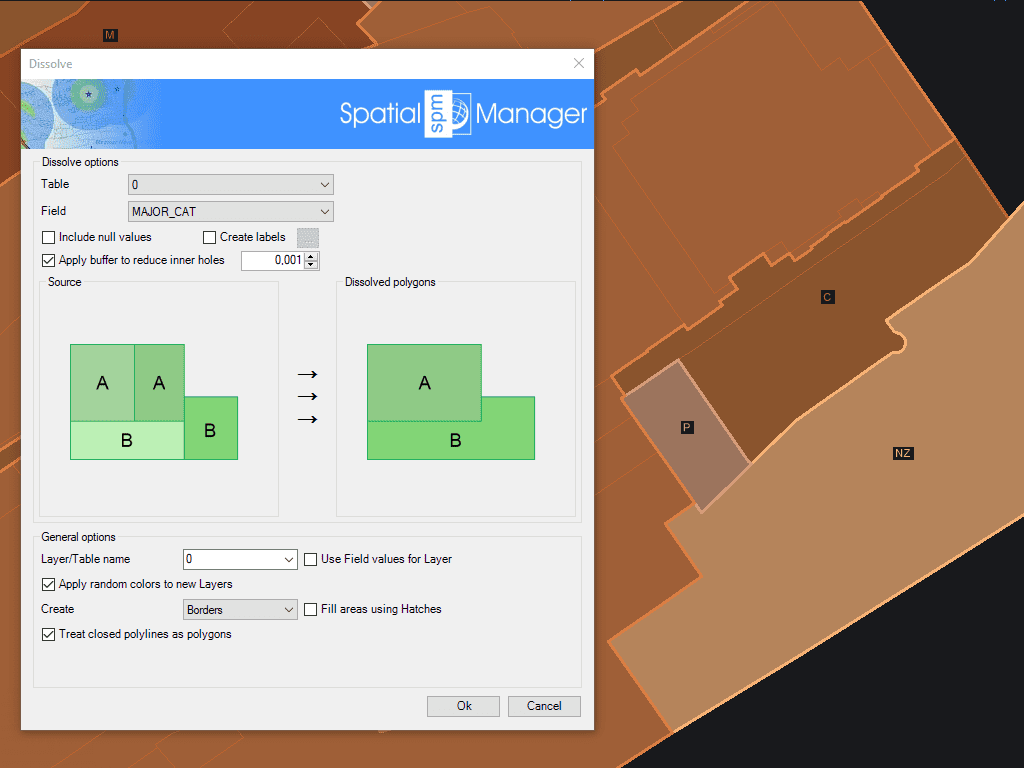
Generate new Polygons based on the grouping of other adjacent polygons with some common data
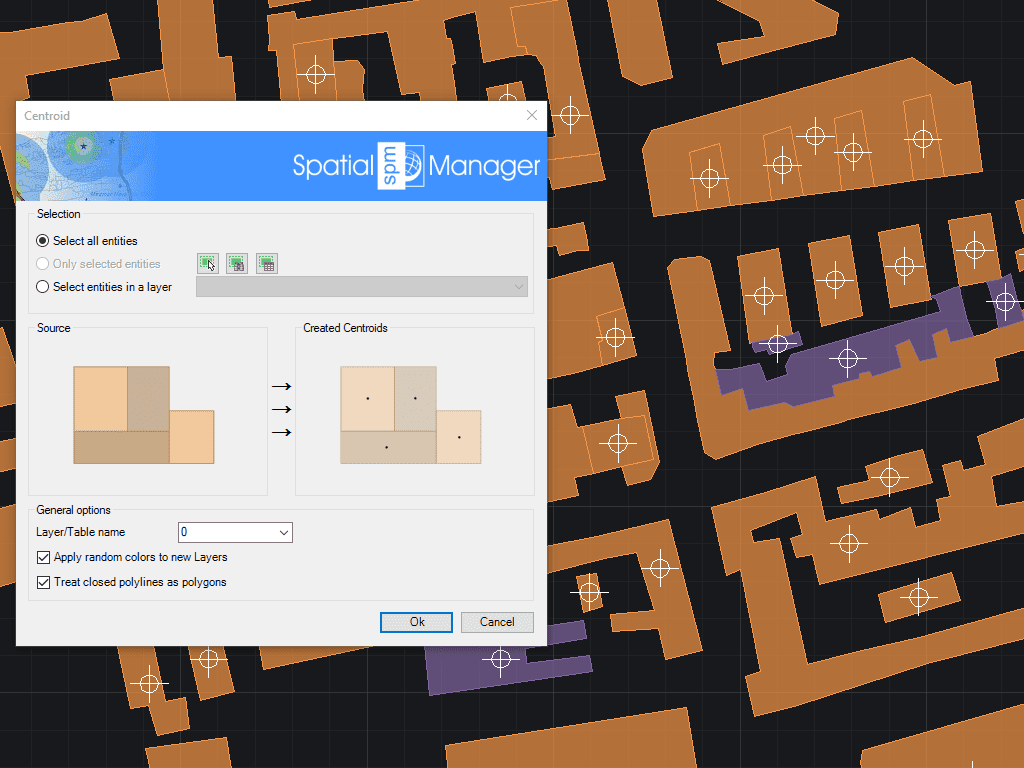
Allows you to generate polygon Centroids (Point objects) by adopting the polygons data, or add Centroids data to the polygons that contain them
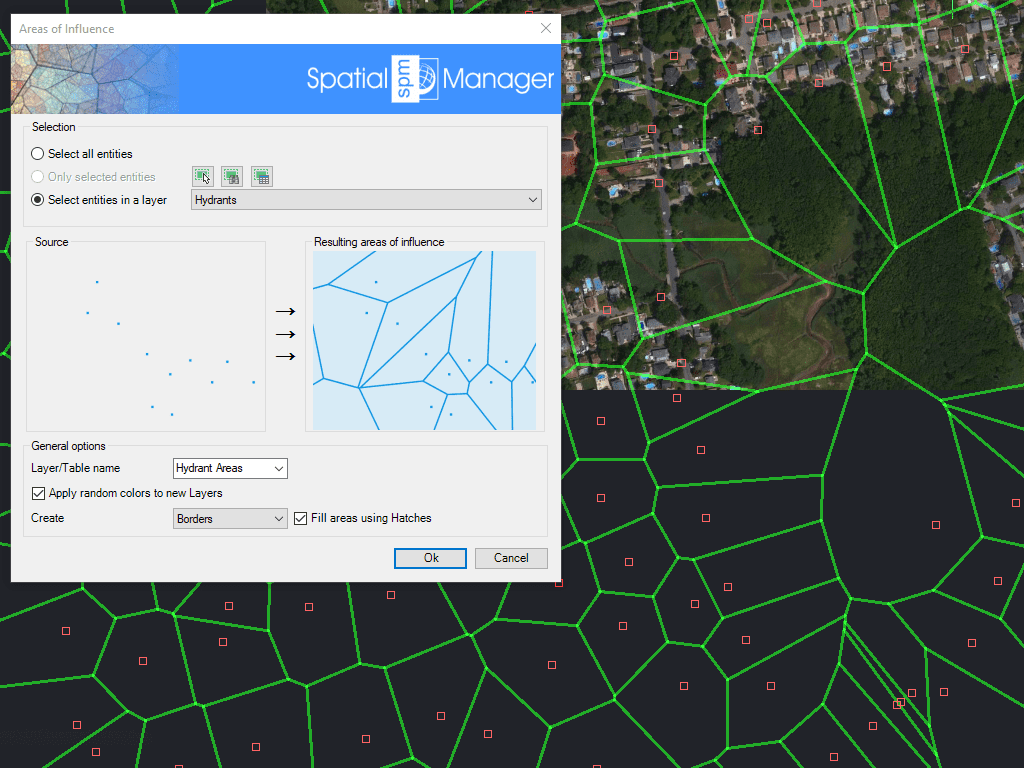
Creates polygons defined by the sets of points closest to each point of a selection in the drawing (Voronoi diagrams)

Mapflow is a cutting-edge geospatial intelligence platform leveraging artificial intelligence to automatically identify and classify geographic objects–such as buildings, roads, and forested areas–within satellite and aerial imagery. Mapflow enables high-precision... more

In this third example on spatial analysis using Overlays in ‘Spatial Manager’ we will apply the “Intersect” operator. This operator determines the geometries that overlap in the Source and Overlay... more

In this second post dealing with Overlays in ‘Spatial Manager’, we will analyze another interesting operator (Clip), which creates objects from the areas of the Source that overlap with the... more

This post starts a series dedicated to one of the most powerful geometric and data-driven analysis tools included in ‘Spatial Manager’: the Overlay command. There are several operators to apply... more