SPM for AutoCAD > Features > Terrain wizard

Terrains in AutoCAD

Create Terrains and other related objects (3D Points, Contours, etc.) from 3D data or from Elevation services in AutoCAD

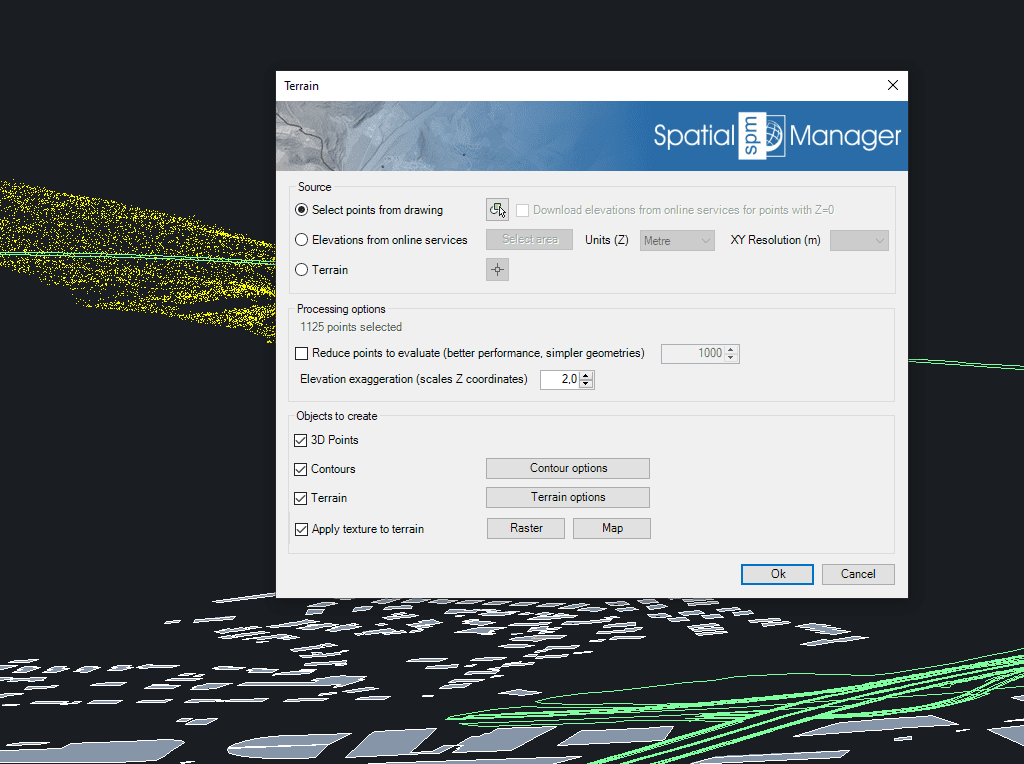
The Spatial Manager™ for AutoCAD Terrain wizard allows to the AutoCAD users create Terrains and other related objects (3D Points, Contours, etc.) from 3D data (Points, Meshes, etc.) or from online Elevation services.

Customize Contours (2D or 3D, parametric Labeling, etc.), choose advanced options in the 3D creation processes, etc.

Editions: Professional

Use Points or Blocks selected in the drawing or built from Elevation service providers in any selected area. You can also use already generated terrain as source 3D geometry
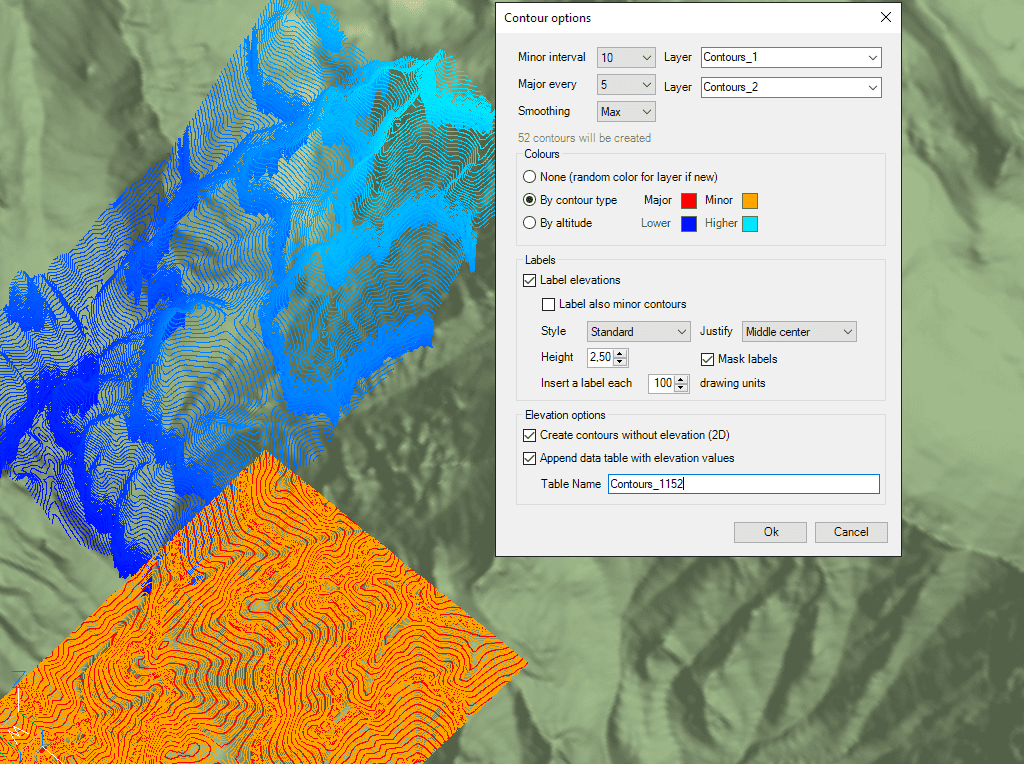
Create minor and major Contours, label Contour altitudes, separate in different Layers and different color models. Optional attached Data Tables will include Contour elevation values and types
3D models generation using 3D Meshes or other CAD/BIM objects from the selected 3D objects

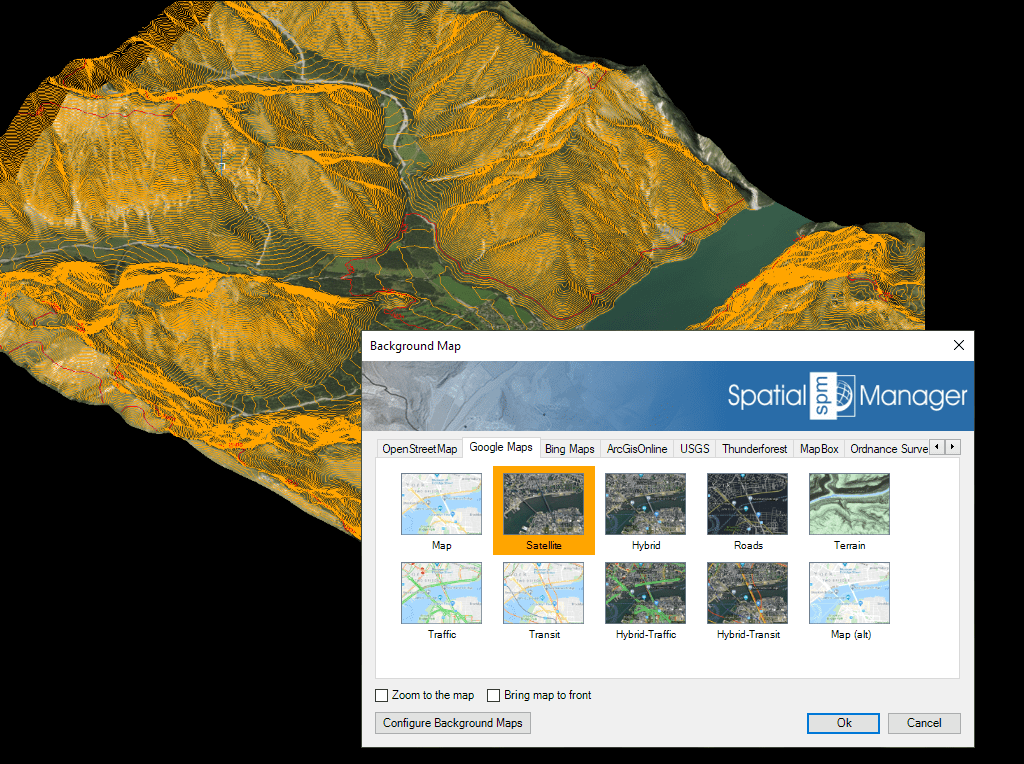
Automatic image projection and fitting of any Background Map (preset or user-configured) on one or more Terrains in their actual location

frequently asked questions
Current compatible AutoCAD applications:
  • AutoCAD, AutoCAD Map 3D, AutoCAD Civil 3D and AutoCAD Architecture (Windows Only)
  • Versions: From v.2013 to v.2027 both included. Review the version compatibility page for more details.
Note: AutoCAD LT is not a compatible application because of its intrinsic limitations but you can use Spatial Manager Desktop™ to import/export via DXF files
System requirements:
  • Windows 7 or higher, within the operating system versions supported by the AutoCAD version used
  • 500 MB free disk space, or more
  • Windows Installer 3.1 or later
Spatial files
  • Esri Shape file - (SHP)
  • Google Earth file - (KML, KMZ)
  • OpenStreetMap file - (OSM, PBF, OSC) (1)
  • LiDAR file - (LAS, LAZ)
  • GPS exchange format file - (GPX)
  • Esri ASCII Grid file - (ASC, ASCII) (1)
  • ASCII text file - (ASC, CSV, NEZ, TXT, XYZ, UPT)
  • SQLite file - (SQLITE, DB)
  • GeoPackage file - (GPKG)
  • GML file - (GML, GZ)
  • Raster image file - (TIF, PNG, JPG, JPEG, TIFF) (1)
  • Autodesk SDF file - (SDF) (3)
  • MicroStation v.7 file - (DGN) (2)
  • AutoCAD DXF file - (DXF) (2)
  • Esri ArcInfo export file (ASCII) - (E00) (1) (2)
  • MapInfo file - (TAB) (2)
  • MapInfo interchange format file - (MIF/MID) (2)
  • GeoJSON file - (GEO.JSON)
  • LandXML file - (XML)

Spatial raster files
  • Raster image file - (TIF, PNG, JPG, JPEG, TIFF) (1)
    • Georeference sources - (World files, Google Earth .GEPRINT, etc.)
  • Variable resolution Raster image file - (Cloud Optimized GeoTIFF/COG TIFF) (1) (4)

Spatial data servers and Geo-databases
  • Esri Geodatabase File - (GDB) (1)
  • PostGIS database
  • Microsoft SQL Server Spatial database
  • MySQL database (1) (3)

Image map servers
  • WMS/OGC API Maps Web Map Services (4)
  • WMTS/OGC API Tiles Web Map Tile Services (4)
  • XYZ/TMS Tile Map Services (4)

Other spatial data sources
  • Open Database Connectivity ODBC (1)
  • WFS/OGC API Features data store (1)

(1) Read-only
(2) OGR data source
(3) FDO provider
(4) Background Maps technology

Note: certain data Providers are only valid for some Editions of the application