Standalone and Network
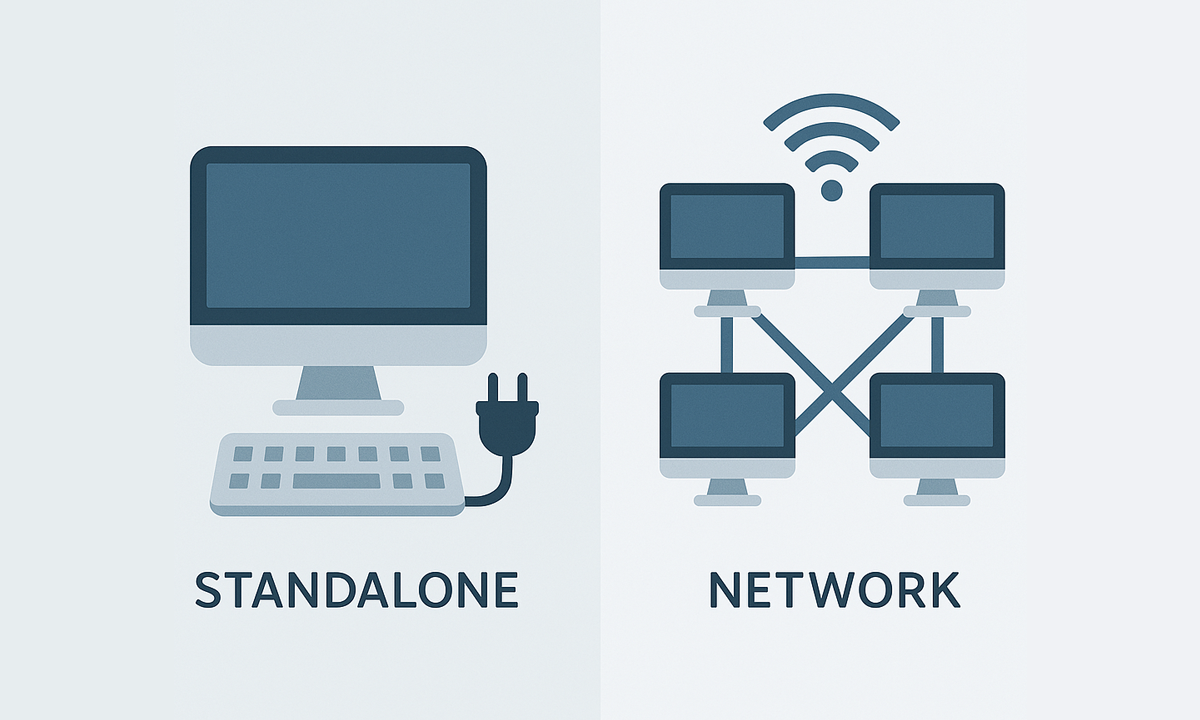
Standalone licenses can be used simultaneously on as many computers as seats purchased, while network licenses allow installation on up to 3× the seats but simultaneous use only up to the number of seats
Standalone and Network
- Standalone licenses can be activated on as many computers as the Number of seats purchased, and can be used simultaneously on any of those computers.
- Network licenses can be activated on a maximum of computers equal to 3 times the Number of seats purchased (for example, up to 9 computers for a Number of 3 seats), and can be used simultaneously on the Number of seats purchased (in the example above, up to 3 computers). Network licenses use a floating license system in the cloud and require permanent Internet access.

The licenses are perpetual and do not expire. All purchases are one-time payments — there are no recurring charges or subscriptions
All licenses include 1 year of updates and support. A 3-year option is also available at a discounted price

Spatial Manager creates buffer polygons around points to show the area within a chosen distance of each location. This is useful for showing a facility’s service area or finding objects... more

Access and import authoritative LINZ (Land Information New Zealand) vector datasets directly into your DWG through the LINZ WFS (Web Feature Service). Spatial Manager connects to the WFS endpoint and... more

Download and import official Land Information New Zealand (LINZ) data into a DWG using Spatial Manager, either through open services (WFS / OGC API Features) or distributed files (SHP, GeoJSON,... more

View detailed, high-resolution LINZ background maps directly in your DWG through WMTS services–no prior tile download required. Spatial Manager connects to the LINZ WMTS endpoint, requests only the tiles needed... more