Räumliche Daten per Drag & Drop auf die Karten ziehen
Laden Sie Datentabellen aus Geo-Dateien in die Karten, indem Sie sie aus dem Windows Explorer ziehen und ablegen. Auf diese Weise wird das gleichzeitige Laden mehrerer Dateien ermöglicht. Öffnen Sie die Dateien in neuen Karten mit einem Doppelklick im Windows Explorer
Räumliche Daten per Drag & Drop auf die Karten ziehen
Geben Sie einfach einen Ort im Suchfenster ein, um schnell dorthin zu zoomen oder dessen Form oder Begrenzungsrahmen direkt in Ihr Projekt einzufügen, wodurch der Umgang mit räumlichen Daten erleichtert wird.
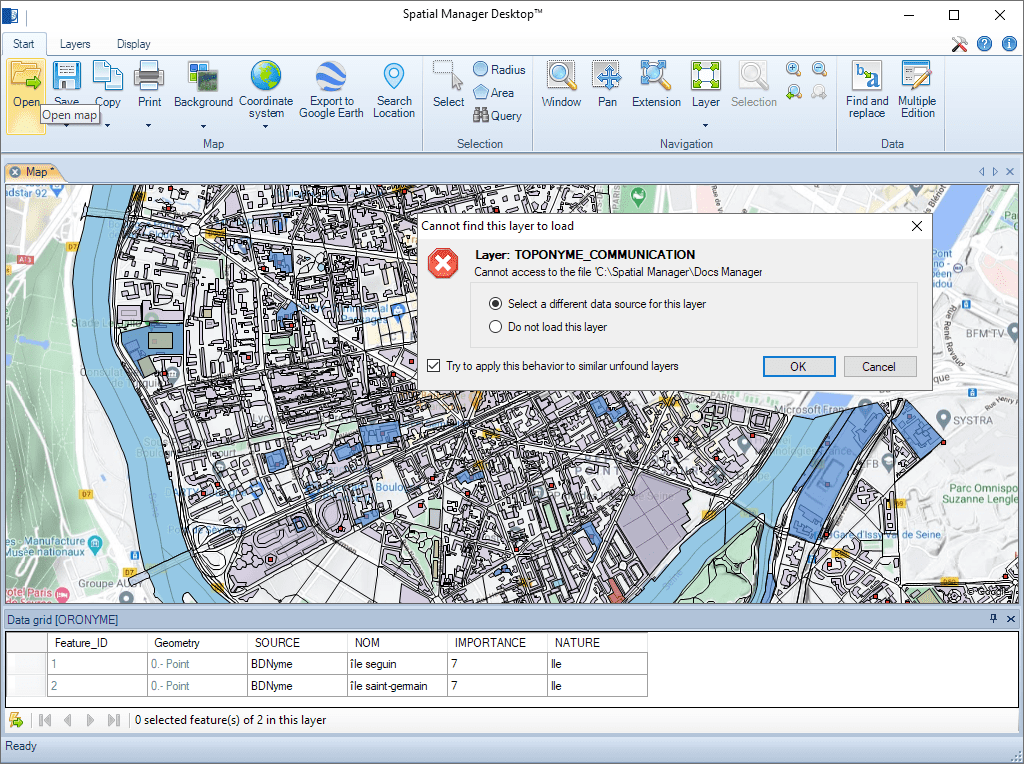
Intelligente Suchtechnologie, mit der geänderte Quellen (verschoben, umbenannt usw.) externer Ebenen beim Laden einer Karte leicht gefunden werden können
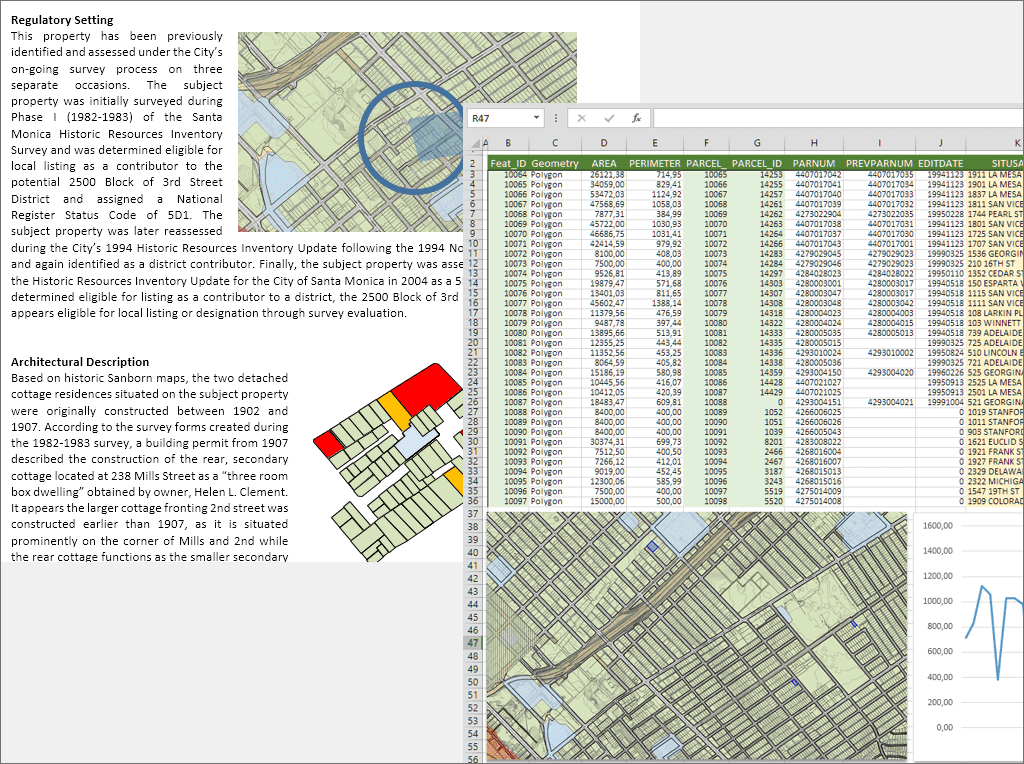
Erweiterter Export von Daten in Ebenen, Auswahlen usw. aus dem Datenraster. Raster- oder Vektorkopie in die Windows-Zwischenablage der gesamten Karte, der ausgewählten Elemente oder der in einer Ansicht enthaltenen Elemente
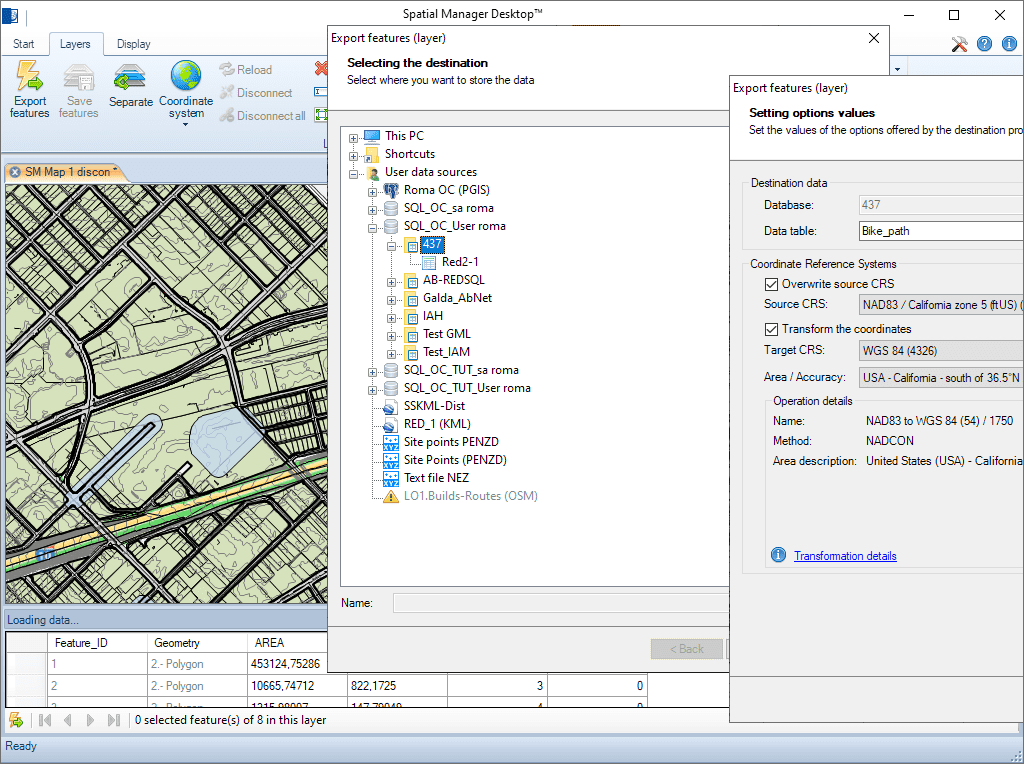
Vollständige Tabellen, Ebenen oder Element-Auswahlen können aus/in einen beliebigen räumlichen Datencontainer importiert oder exportiert werden. Der Import-/Export-Assistent führt den Benutzer durch die Prozesse zur Auswahl der Quelle und des Ziels sowie ihrer Verbindungsparameter, der Koordinatenumwandlungsparameter usw.
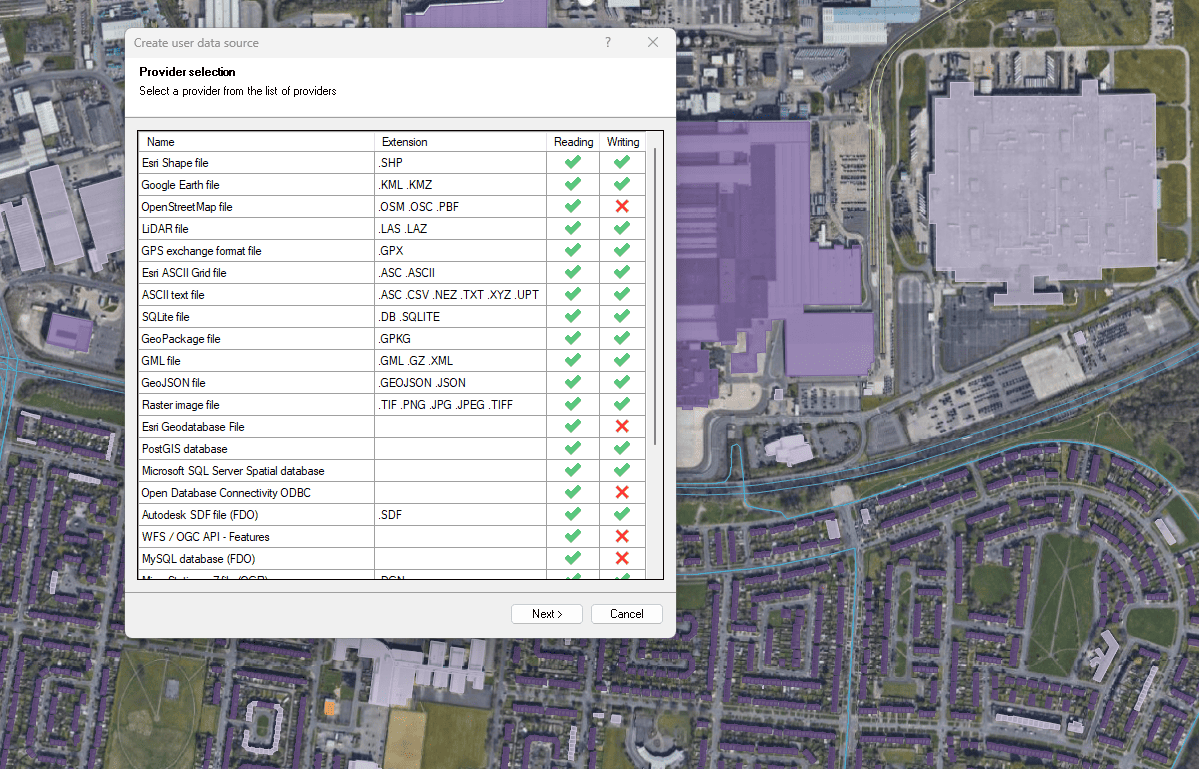
Dateien, Datenbanken und Onlinedienste
Verbessert in V10Verbinden Sie sich mit einer Vielzahl räumlicher Datenquellen

Access and import authoritative LINZ (Land Information New Zealand) vector datasets directly into your DWG through the LINZ WFS (Web Feature Service). Spatial Manager connects to the WFS endpoint and... more

Download and import official Land Information New Zealand (LINZ) data into a DWG using Spatial Manager, either through open services (WFS / OGC API Features) or distributed files (SHP, GeoJSON,... more

View detailed, high-resolution LINZ background maps directly in your DWG through WMTS services–no prior tile download required. Spatial Manager connects to the LINZ WMTS endpoint, requests only the tiles needed... more

OGC API Features is a modern, RESTful standard developed by the Open Geospatial Consortium (OGC) for accessing and managing geospatial feature data over the web. It is the evolution of... more