Changes of view in AutoCAD
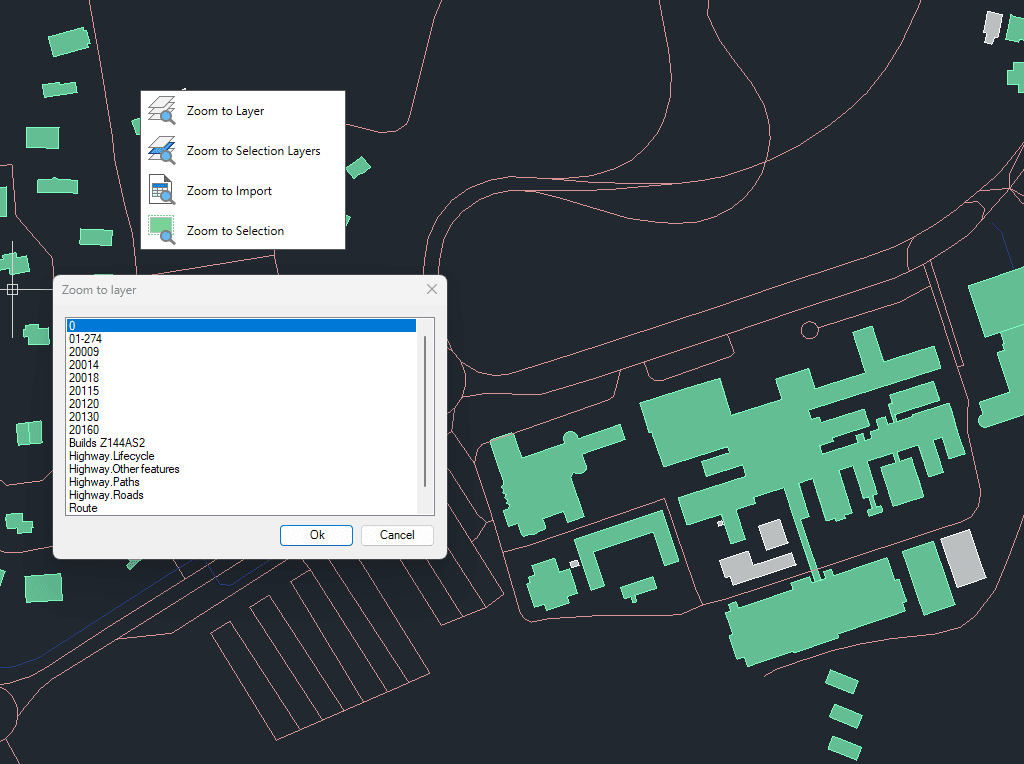
Zoom to the objects on the selected layers, to the objects on the layers of selected objects, to the objects resulting from the last import process or to the selected objects
Changes of view
You can zoom to objects on selected layers, to objects on the layers of currently selected objects, to the results of the last import operation, or directly to selected objects.
This functionality helps streamline workflows by quickly centering the view on relevant spatial data.
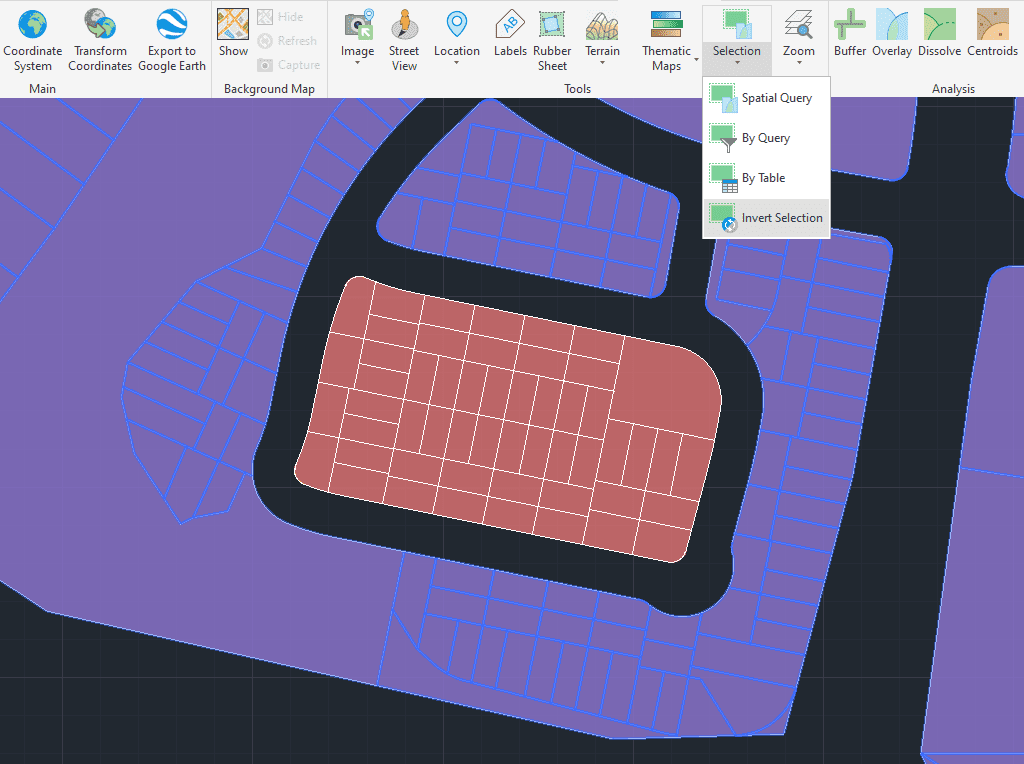
Select objects that are not selected in the drawing and deselect those that are selected.

Automatically identifies intersections between line geometries and creates polygons (closed polylines) from the resulting closed shapes. This powerful tool is ideal for converting complex line networks–such as cadastral boundaries, city... more

Groups individual points by their data and connects them to create polylines, either by following their sequence or by using a chosen attribute to define the order. This advanced functionality... more

Divides geometries that intersect a specified line, effectively splitting them at the points of intersection. This tool is valuable for editing or preparing data for subsequent processes that require segmented... more

Transforms complex curve geometries–including arcs, splines, circles, and polylines with arcs–into polyline objects. This conversion simplifies editing tasks and improves interoperability with both CAD and GIS workflows. It is particularly... more