Data table in AutoCAD
Enhanced in V10Data tables provide the structure for associating information with drawing objects. They can be attached automatically during import or manually created by adding fields of various data types.
Discover the full potential of this set of tools designed to enhance GIS data integration and editing within AutoCAD.
Data structure
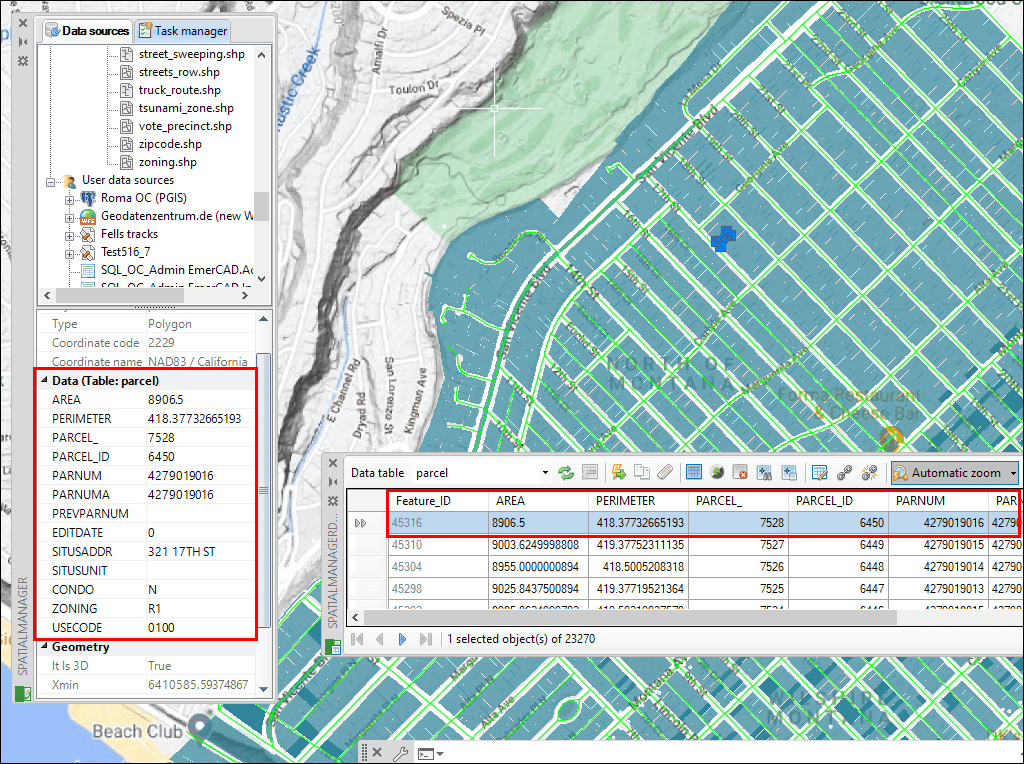
Tables edition

Objects management

Link multiple tables
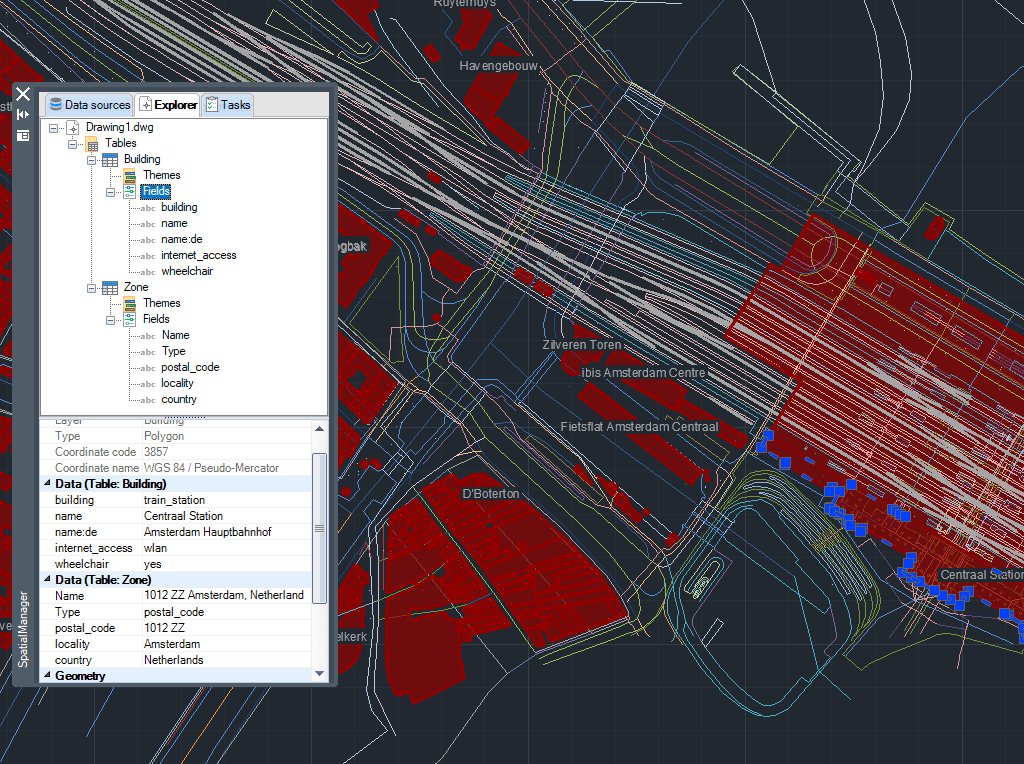
Draw table
New in V10* Only available in Professional edition

Managing the Data Structure
Selecting objects by simple or compound Queries
Locating polygons crossed by specific linear objects
How to use Fields default value
Combine Quick select and Select by Query
Fields calculator
New data grid
Create a drawing Table from the Data Grid
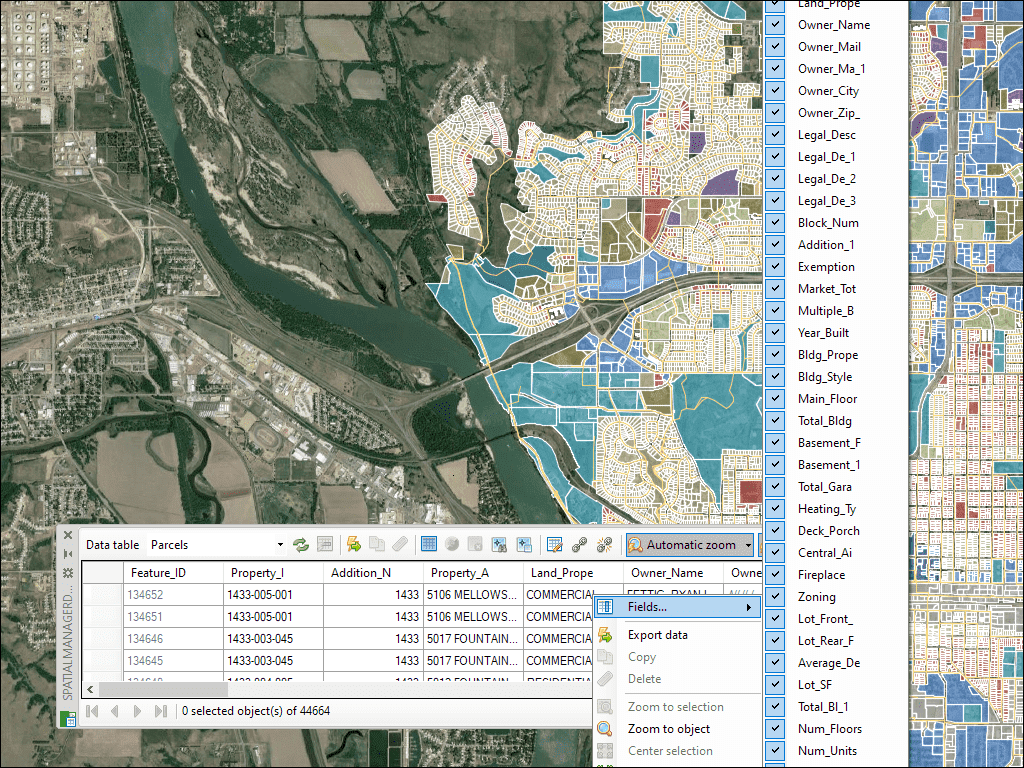
The Data Grid palette in AutoCAD allows you to view, edit, etc. the objects data for any table in the drawing. You can also select objects from the Data Grid, export the data from the tables and more
* Only available in Professional edition
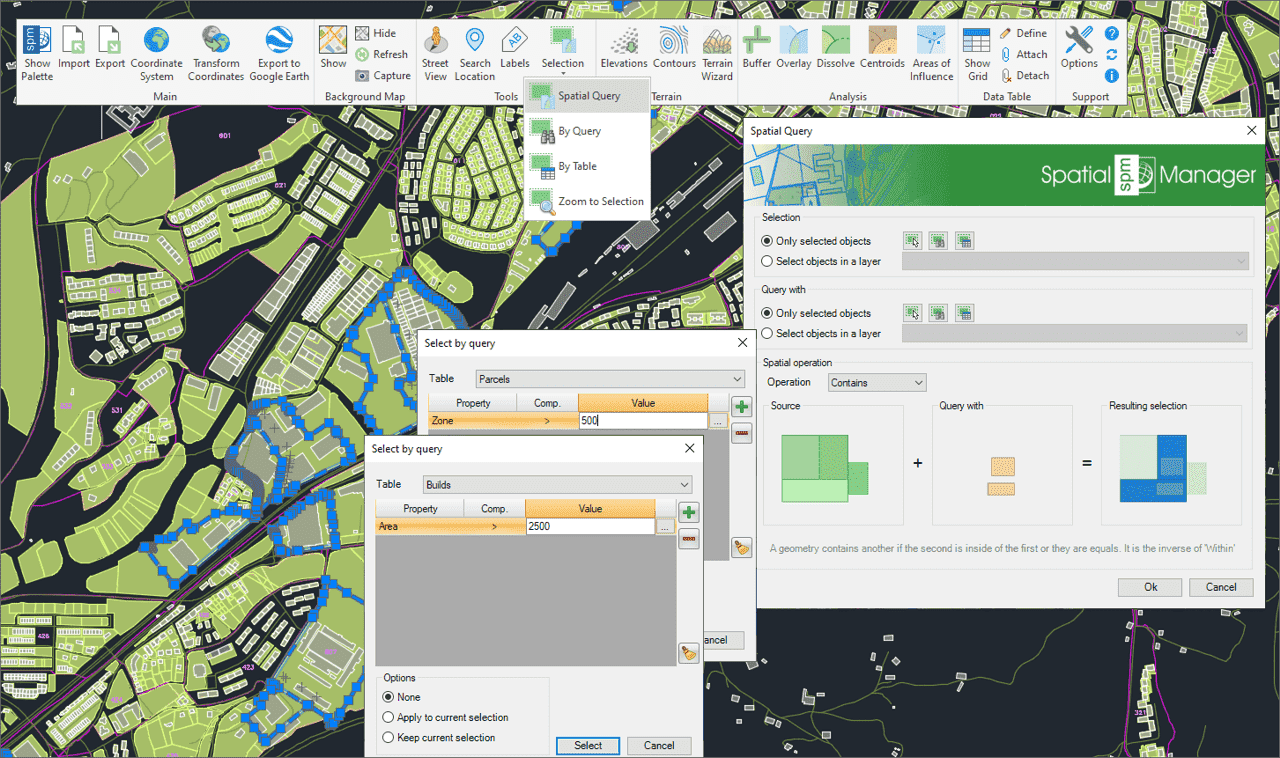
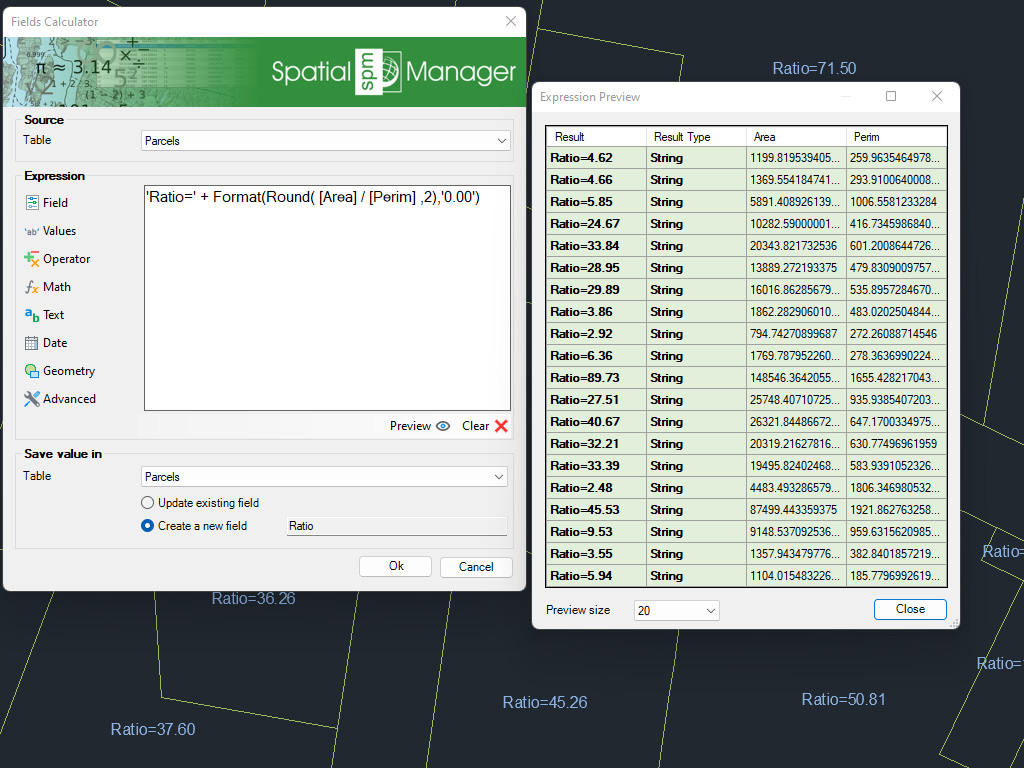
Calculate in AutoCAD simple or complex expressions using operators and functions that can be applied to field values in a table and/or to constant values
* Only available in Professional edition
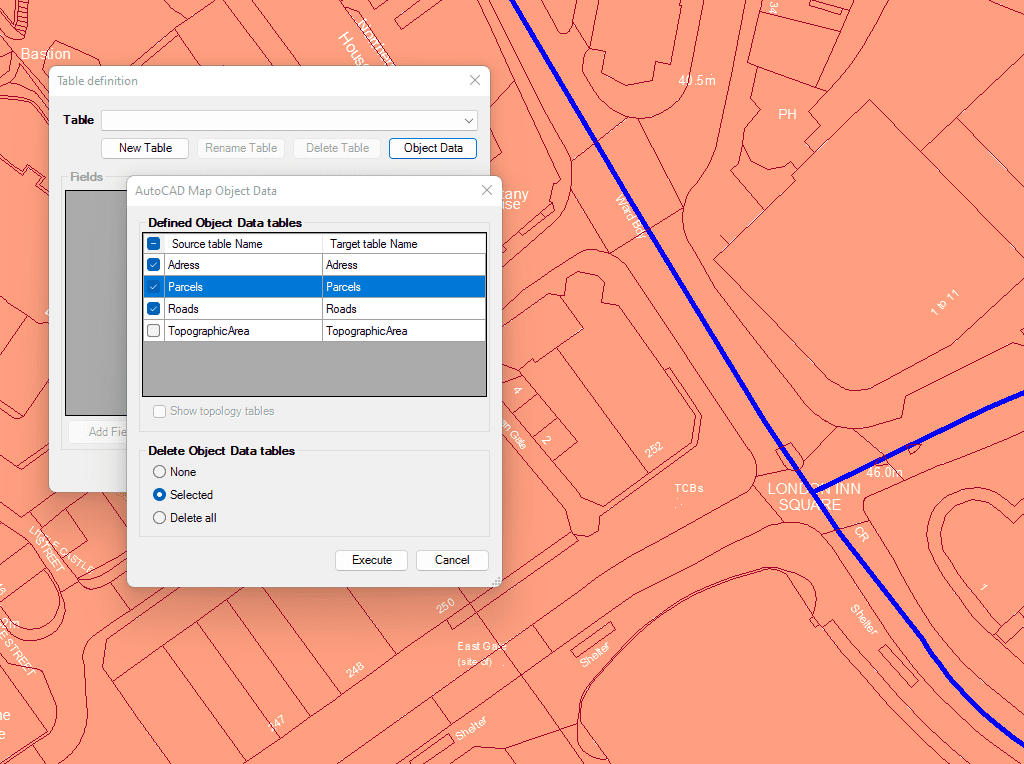
Import and convert data from AutoCAD Map format to AutoCAD Extended Entity Data (EDD).

Integrate with your own LISP functions using the API (Application Programming Interface) creating custom data-related operations
* Only available in Professional edition

Generates a CAD table directly in the drawing using the data linked to the objects. Users can define which fields will appear as columns, making the table highly customizable. In... more

Multiple tables with various fields can be simultaneously attached to objects. This capability offers a highly organized and structured method for managing data. This approach allows the use of multiple... more

Reverse geocoding is the process of converting geographic coordinates (latitude and longitude) into a human-readable address or place name. This is typically done using a reverse geocoding service or API,... more

GML (Geography Markup Language) is an XML-based language created by the Open Geospatial Consortium (OGC) for modeling, transporting, and storing geographic information. GML files classify elements by type, and Spatial... more