Map Books in BricsCAD
New in V10Create atlas-like layouts automatically within BricsCAD. Ideal for large areas, this feature helps you organize and print multi-page maps with consistent viewports, titles, and layouts
Use a customizable grid to divide selected objects or areas into structured sections. This grid forms the basis for generating Map Books, ensuring clarity and consistency across your entire map series.

Map Books creation
New in V10Create an atlas-like layouts automatically within your DWG. This is useful for large areas, helping you organize and print multi-page maps with viewports and titles.
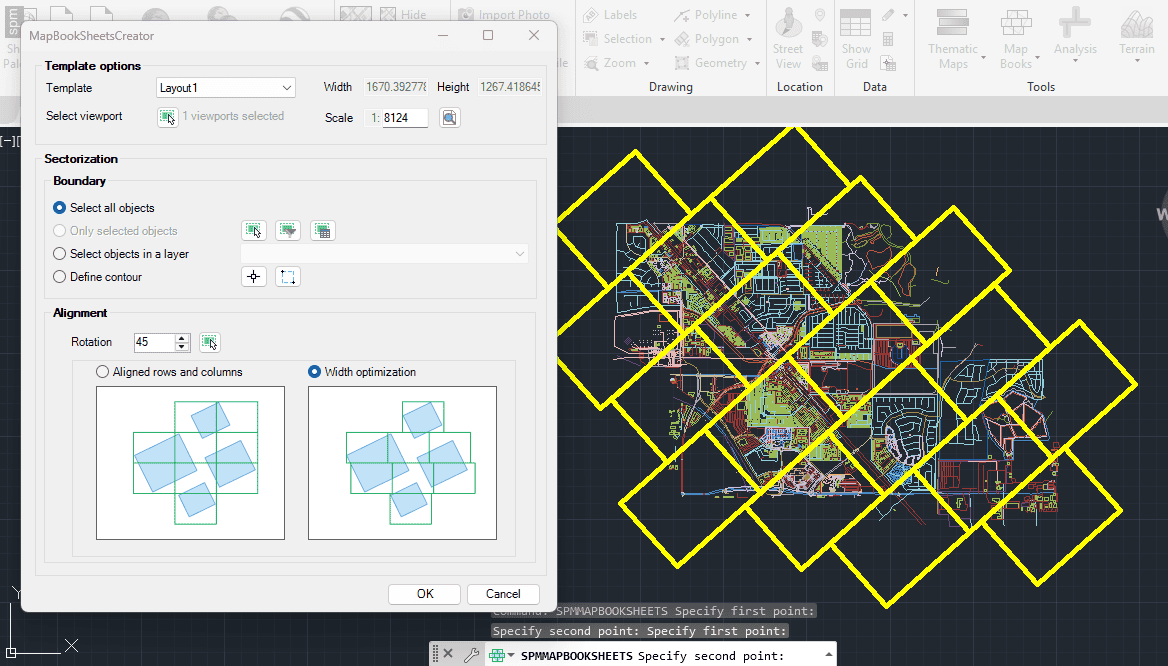
Map Book Sheets
New in V10Create a grid over selected objects or a defined area in your drawing. This grid serves as the foundation for generating Map Books, organizing your project into consistent map sections.

Creates atlas-like layouts automatically from the objects in your DWG. By using an existing layout as a template, the application generates multiple new layouts, each one focused on a specific... more

Creates sheets for map books in a grid pattern or optimized for the best fit, minimizing the total number of sheets required. A rotation can also be applied to align... more

Easily create a map book based on object data. A map book is a set of layouts where the viewports are adjusted automatically to the envelope of the objects grouped... more