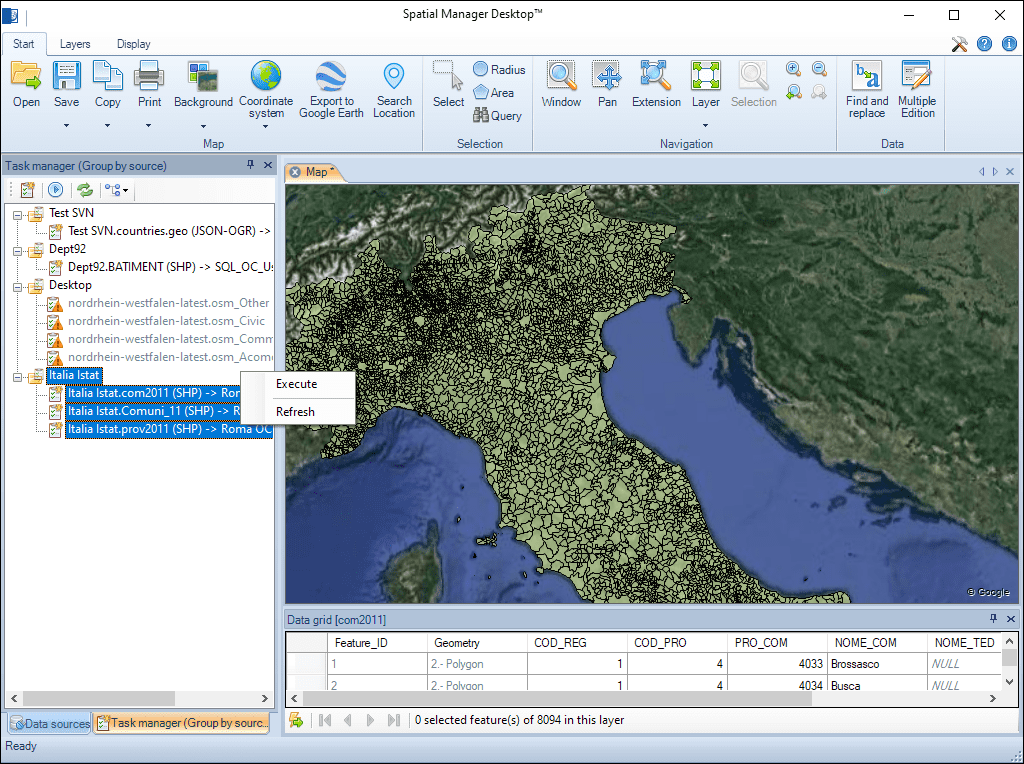
Spatial Manager Desktop™ Tasks are the way the user can save any import or export process and its parameters in order to run repetitive processes for import or export data tables.
The user can execute any Task directly from the application or from the operating system command window; this feature also lets the user define powerful batch processes
Any import/export process, including its parameters, can be saved as an application task, which can be managed in the task manager panel, in order to run repetitive processes. Quickly execute tasks and review their parameters
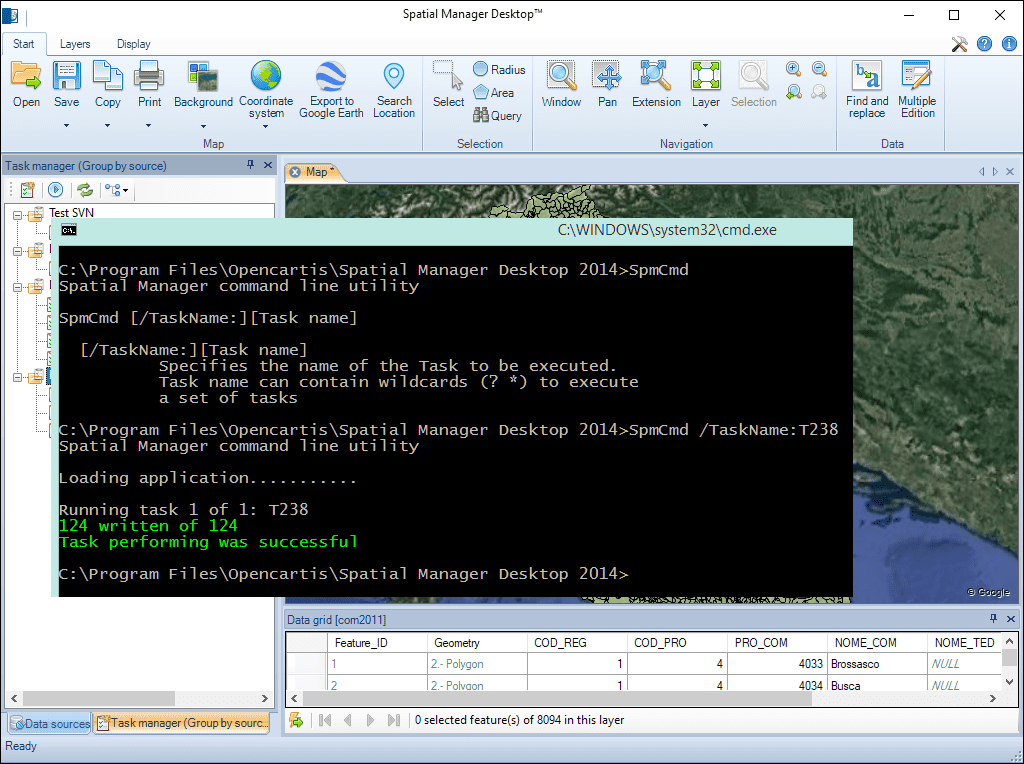
Execute any Task directly from the application or from the operating system command window. Wildcards in the names of the tasks to run can be used. This feature also allows the definition of powerful batch processes
View detailed, high‑resolution LINZ background maps directly in your DWG through WMTS services—no prior tile download required. Spatial Manager connects to the LINZ WMTS endpoint, requests only the tiles needed... more
OGC API Features is a modern, RESTful standard developed by the Open Geospatial Consortium (OGC) for accessing and managing geospatial feature data over the web. It is the evolution of... more
An ESRI Geodatabase File (FileGDB), is a powerful database system designed to store, query, and manage spatial data as a collection of files stored directly on disk without the requirement... more
Mapflow is a cutting-edge geospatial intelligence platform leveraging artificial intelligence to automatically identify and classify geographic objects—such as buildings, roads, and forested areas—within satellite and aerial imagery.... more