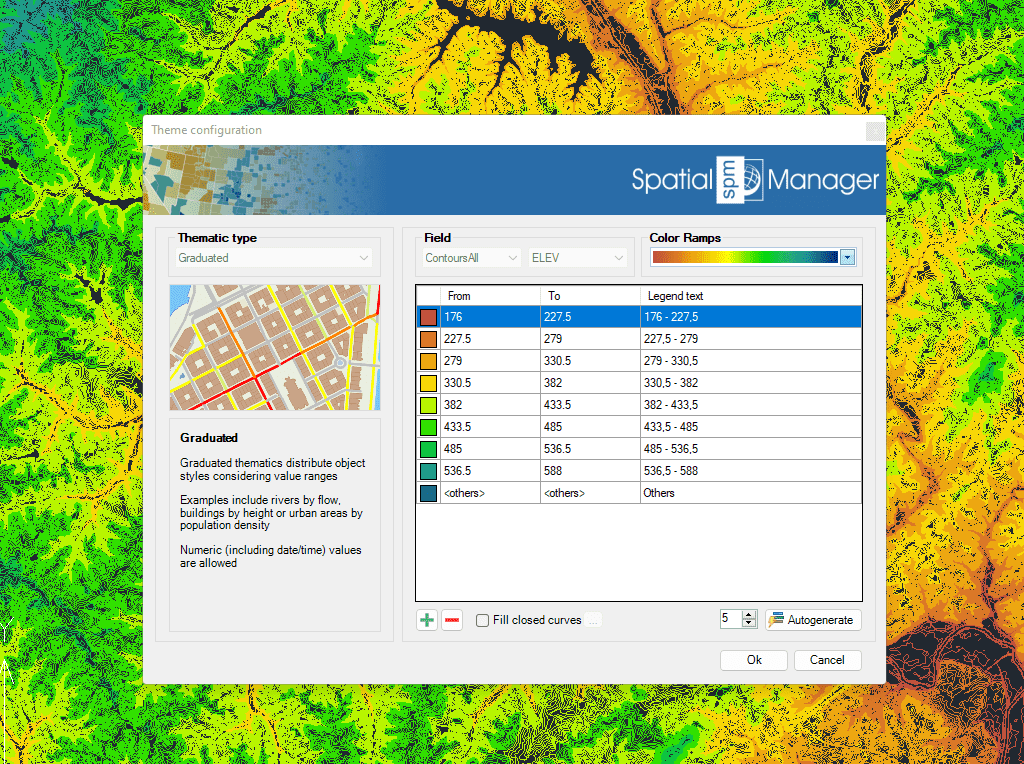
Different types of thematics can be created by fixed field values (categorized) or by ranges (graduated).
Select one among the predefined color styles, modify it, or create your own custom one. Fill closed objects automatically for an enhanced visualization.
Thematic maps are created automatically based on field values. Use existing fixed values or ranges to set the thematic type
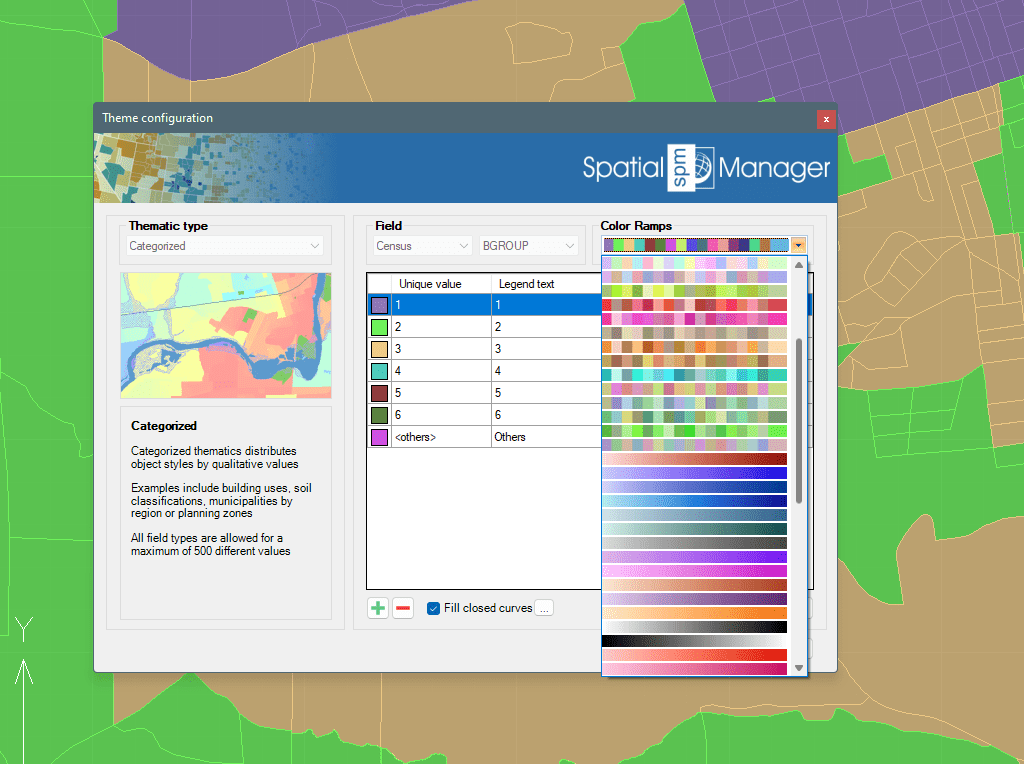
Create your custom set of rules or select a predefined style. Most common color schemes and gradient ramps are built in
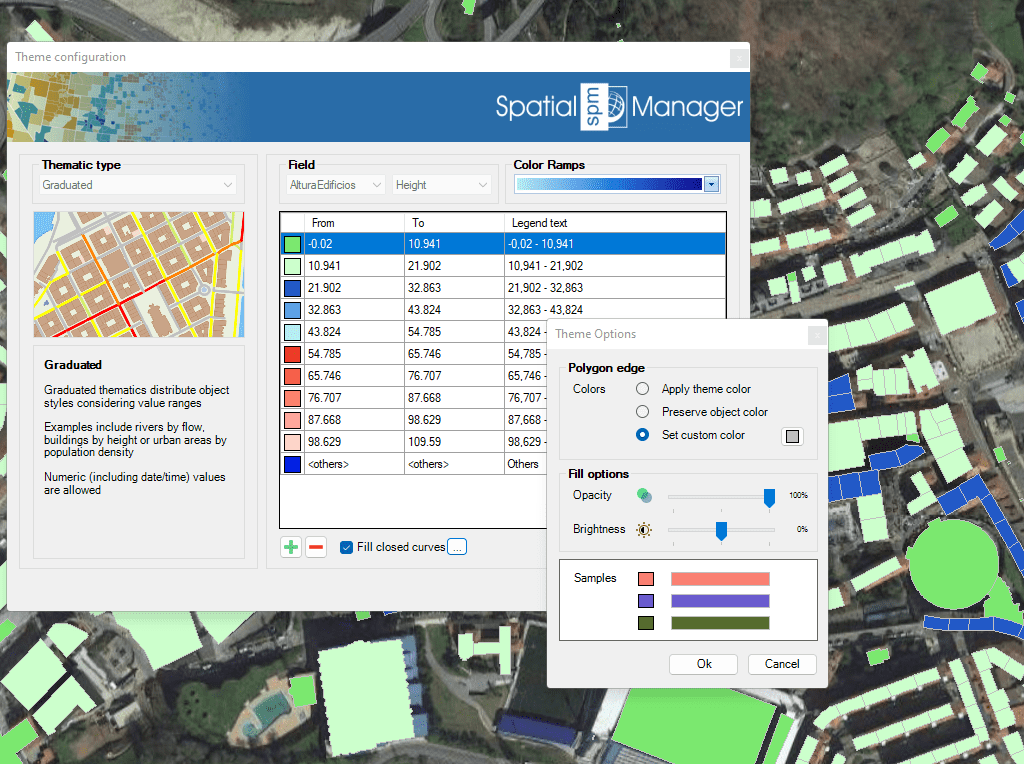
For enhancing the visualization and identification of overlapping objects, closed lines can be filled using hatches
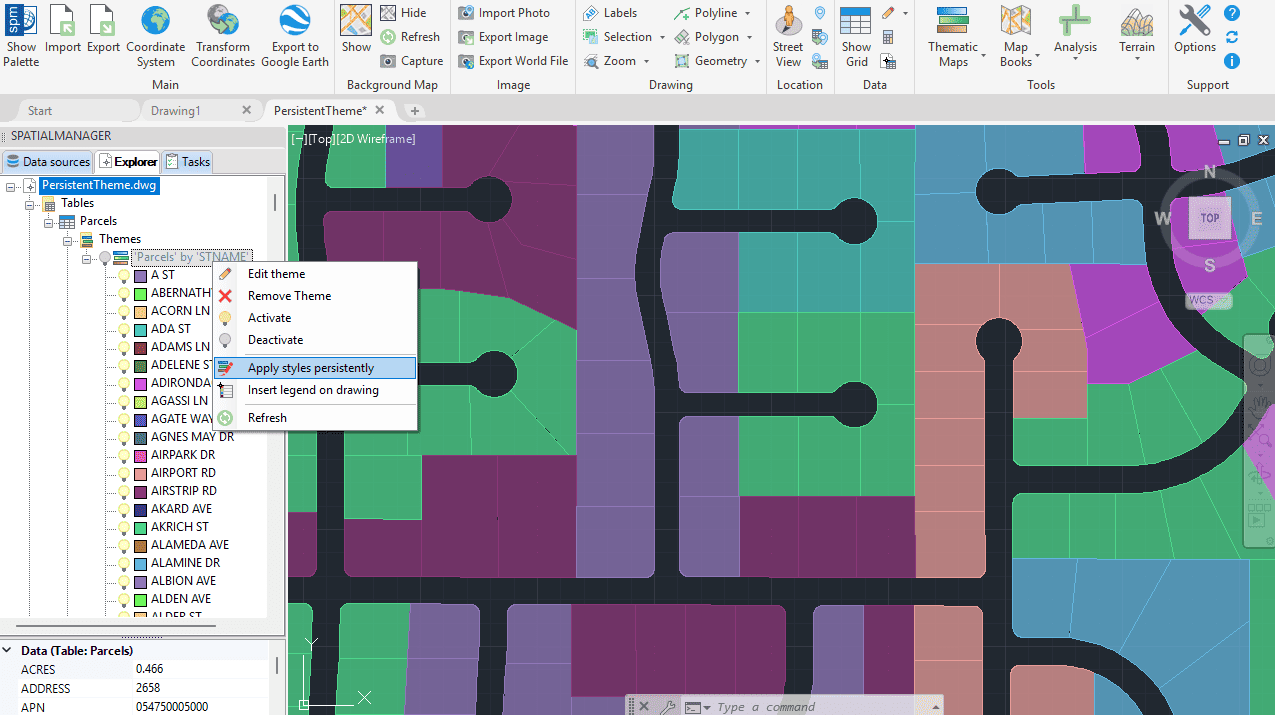
Once a thematic map is defined, you can apply the chosen styling persistently across your DWG drawing.
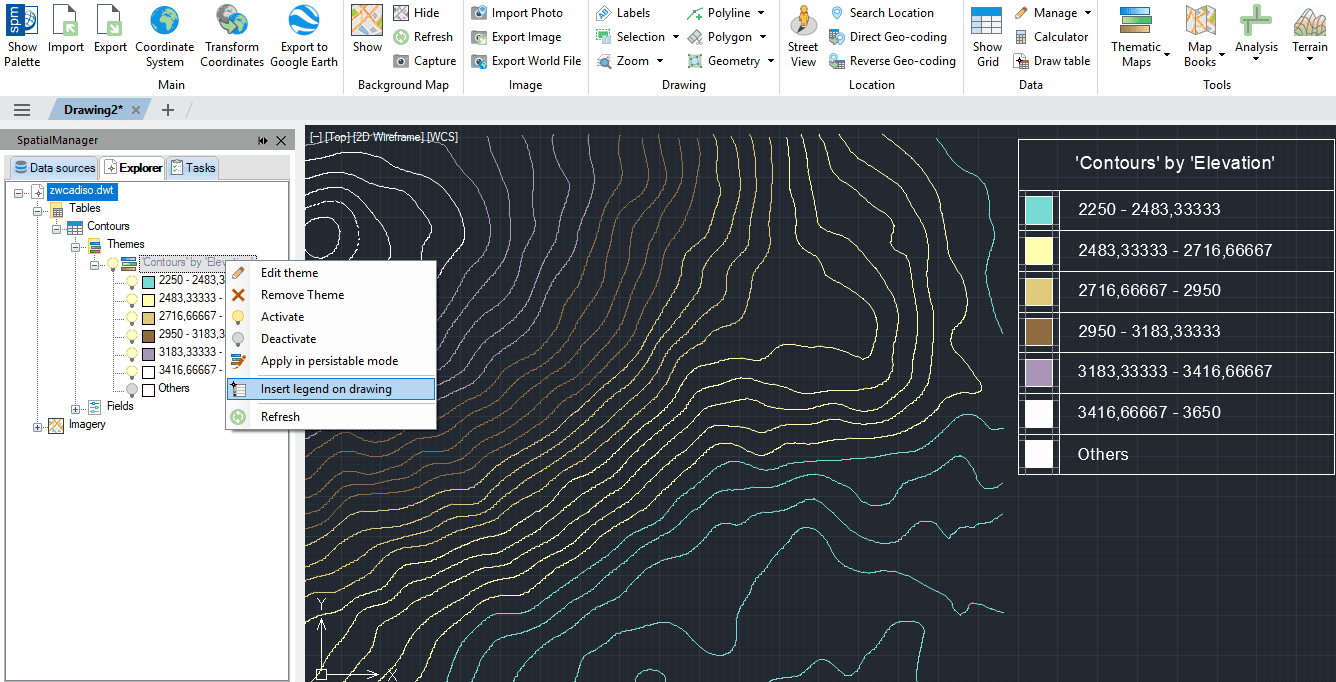
Insert a thematic map legend directly into the drawing, making it easier to interpret and communicate the meaning of the applied styles. The legend reflects the categories or value ranges used in the map presentation
Thematic Maps allow you to view objects colored by their data values, but you can also apply these styles persistently to the objects, causing these colors to override the DWG... more
Mapflow is a cutting-edge geospatial intelligence platform leveraging artificial intelligence to automatically identify and classify geographic objects—such as buildings, roads, and forested areas—within satellite and aerial imagery.... more
Visualize objects by coloring them based on their field values. Different thematic styles can be applied, using either fixed field values (categorized) or value ranges (graduated). Choose from predefined color... more
Export texts or labels from a DWG to Google Earth directly maintaining the layer and object colours. It is a very intuitive one-step process of publishing stylized geometries grouped by... more